1
Fairphone
158 readers
2 users here now
Fairphone is a Dutch electronics manufacturer that designs and produces smartphones. It aims to lower environmental footprint through minimizing the use of conflict minerals in its devices, maintaining fair labor conditions for its workforce and suppliers, and allowing users to maintain their own devices.
founded 2 years ago
MODERATORS
2
3
4
5
6
1
Témoignagne de @raphiki lors d'une discussion au #fosdem26 avec @lexoyo , et qui donne l'occasion de faire découvrir un des premiers épisodes :
(static.piaille.fr)
Témoignagne de @raphiki lors d'une discussion au #fosdem26 avec @lexoyo , et qui donne l'occasion de faire découvrir un des premiers épisodes :
"Mon prochain téléphone sera un #Fairphone… mais il ne sera pas vraiment à moi !
👉 https://www.projets-libres.org/podcast/florent-cayre-co-fondateur-de-commown/
Pourquoi ? Parce que j’aime l’idée de durabilité qui anime @fairphone mais aussi parce que je souhaite aller encore plus loin dans la sobriété numérique. Je vais donc le louer via @commownfr une coopérative qui pousse la mutualisation des ressources et l’économie circulaire à un niveau supérieur.
👇

8
Recently got my fp5 from warranty repair, it went well and just wanted to drop a quick report on how it looks. The problem with the phone was that the bottom microphone stopped working.
-
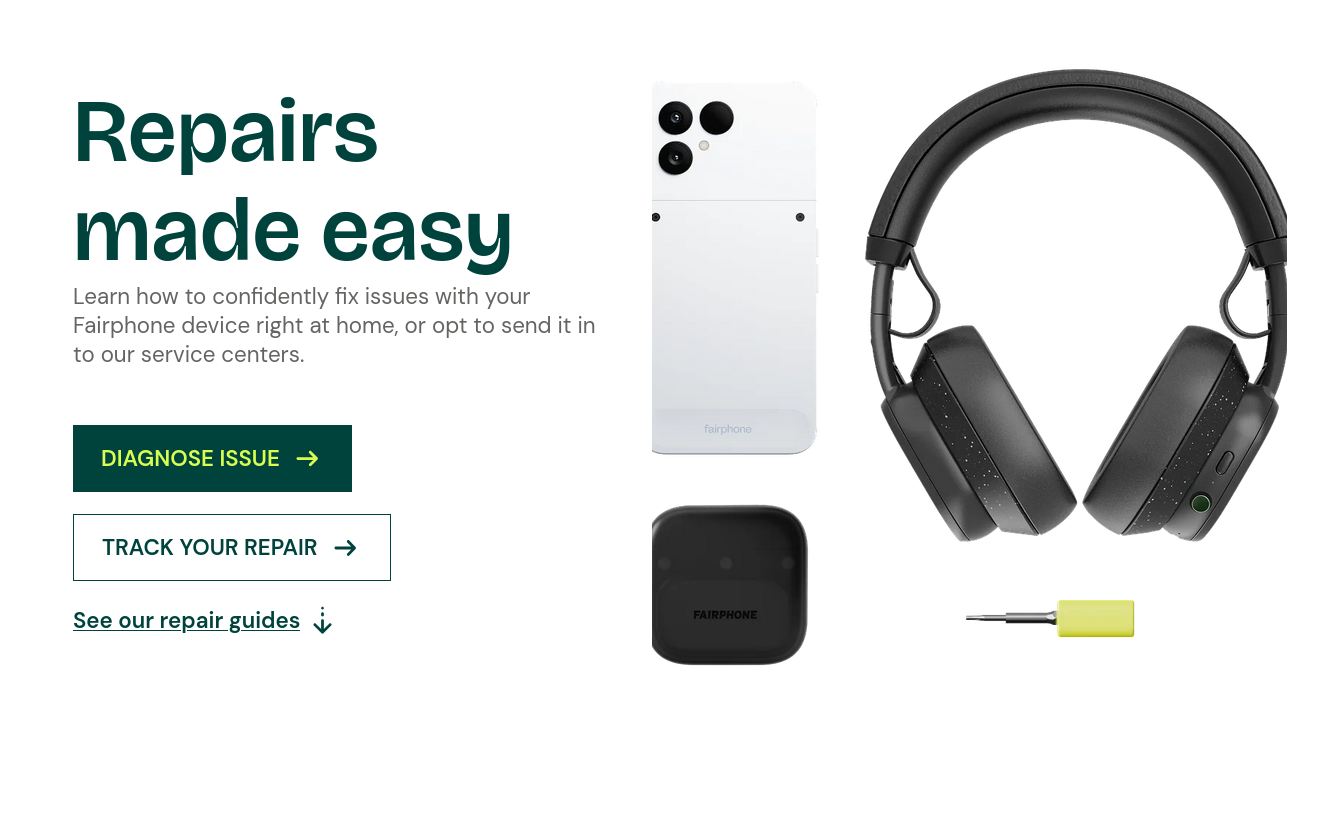
It was really difficult for me to finally find the page where you can submit a warranty repair request. After meandering through useless support pages I ended up on the page shown below, which is where you submit a repair request (the green "easy repairs" button:

-
Then you click the "diagnose issue" button
-
You are then redirected to https://fairphone.b2x.com/ where the website guides you through the warranty repair request process. It asks you for the usual stuff like IMEI but also requests you to open the Android diagnostics menu thing to check audio (my issue was about audio, so with other issues it may be different), which I also followed.
-
You then get an UPS shipping label. This part was also confusing because after you submit the repair request you get a few e-mails. One of those e-mails is a return label for when the repair is done or something? There's no label to print in that e-mail. I don't really remember super well what I did but either you open one of those e-mails that you get and go to the Cordon Electronics website and generate a label there, or you just get the label in one of the e-mails, it just may be in one of a few UPS e-mails that you get.
I didn't pay anything for the shipping (to France from Poland and back).
- I removed the SD and sim card, factory reset my phone (this isn't absolutely necessary, just for privacy), packed the phone into the original packaging that I still had. My phone had the bootloader unlocked so on boot it flashes the scary message about "something something bootloader unlocked if you touch this phone you die immediately".
You also need to print 2 pages and include them in the package. The e-mails that you get after submitting the request also ask you to include printed proof of purchase (invoice that I just had on my e-mail acct) and a printed out page that contains info about your repair request (Cordon Electronics sends it to your e-mail, you just print it).
Slapped the UPS label I received to my e-mail on the package and threw it into a local package locker. It was shipped to France.
-
I shipped it out on December 15h, it reached them on the 19th, and they shipped it back on the 23rd. Because of the holidays the phone reached me on January 5th, but in normal circumstances you can assume that normally it'd also take 4 days.
-
I got the phone back with the battery removed so I had to pop it back in. I checked if the mic worked and it did. I also got a printed repair summary back, saying what they replaced. In my case it was the motherboard ribbon cable. It also said they preventatively updated the software (?) - I thought I had the latest available but they might've just installed it anyway.
I wonder if the repair wasn't just removing the ribbon cable, turning it 180 degrees and popping it back in, as I can see in the pictures it has a direction lmao. I was messing with the internals before and might've damaged the ribbon cable myself. It's interesting that the ribbon cable isn't available as a spare part in the Fairphone store. If it broke past the warranty, I'd probably have to look for some dodgy replacement.

9
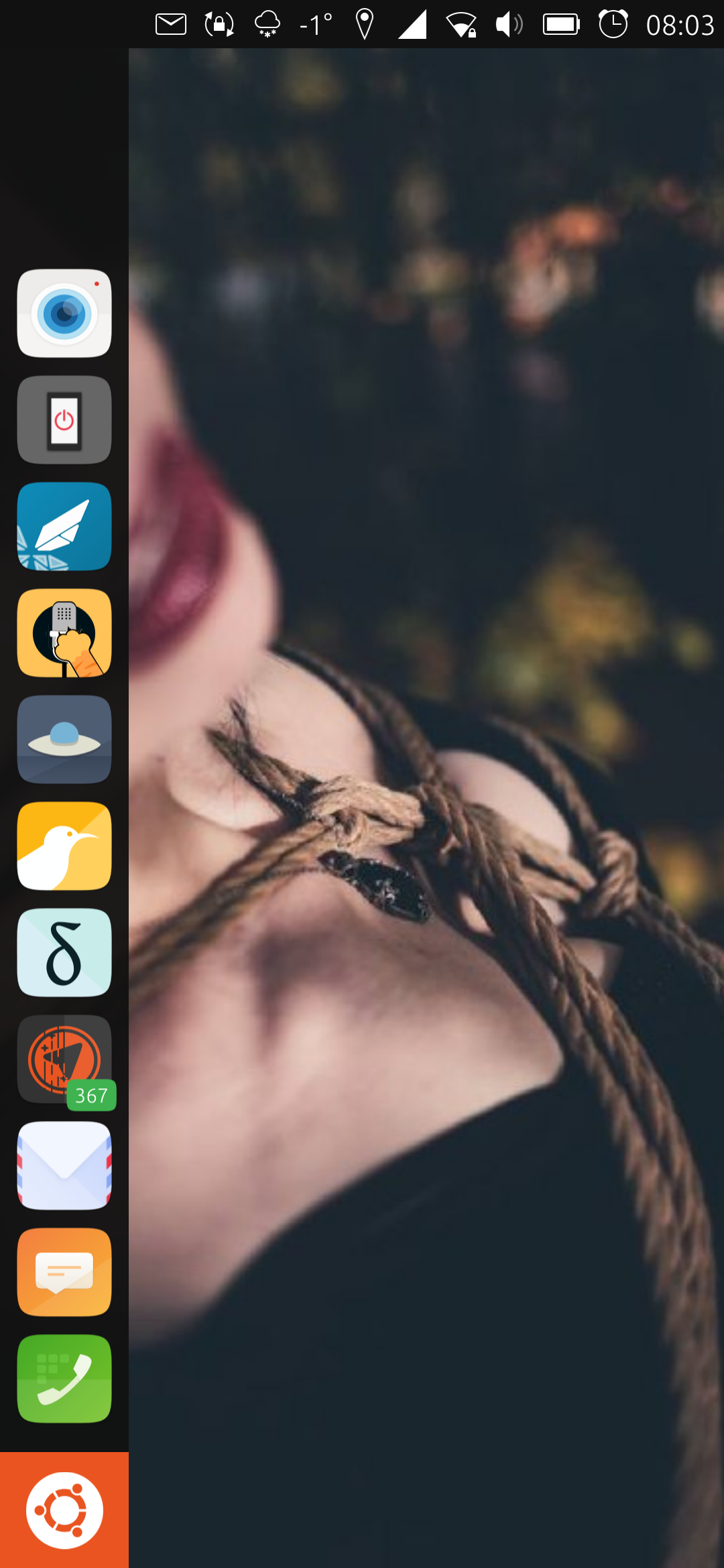
Mein Take zum #diday
@ubports auf dem @fairphone 4
Gestern konnte ich mich auch endlich dazu durchringen das FLX1s von @furilabs zu bestellen.
Bin mir sehr sicher, die Zukunft auf meinem Phone spricht Linux.
10
1
We're big fans of open-source buildable code at Fairphone. Here's why. - Fairphone
(www.fairphone.com)
11
12
13
14
15
16
17
18
19
20
21
Author: @disevani@lemmy.world
As promised, here's my full review of the Fairphone Gen 6. It is going to be a little longer than i expected...
Let me start by explaining why i chose this device. Well, i just really like Fairphone as a company. Fair to the workers, fair materials, repaireable phone with long support and doing a collab with Murena, making it easier than ever to experience a "deGoogled" mobile device right out of the box.
Which leads me right to the very first steps: opening the box and setting up. For the ones who have seen Fairphones own videos, there's indeed nothing else in the box other than the phone, sim tray tool and some documentation. After probably the easiest and fastest Android setup i've ever experienced, you're welcomed into the phone's default launcher:
Bliss Launcher. You do whatever you want right from this moment. No more second setup to decline once more everything Google's trying to push through. No more endless updates, notifications about features, etc. It's just you and a small bunch of preinstalled apps.
- App Lounge
- Calculator
- Calendar
- Clock
- Files
- Gallery
- Recorder
- Maps
- Music
- Browser
- Notes
- Tasks
- Contacts
- Phone Dialer
- Messages
- Camera
The homescreen only shows your app icons, and when you scroll to the right, you'll open a Google Discover-like page where your widgets are located. Sadly, the widgets can't switch positions, so you have to remove all of them and then select them in the order you want. Once they are in place, you can change their size and that's it. Edit; swiping down in either your homescreen or screen with widgets gives your a search option.
All the basics covered, nothing more, nothing less. Pretty much all default apps work well, although i installed my go-to apps and put the others in the "no uss" folder, because you can't uninstall preinstalled apps.
One app did not work well is the email app. It wouldn't delete the emails i manually deleted and instead showed me the email as an new incoming mail with notification and all. After installing Thunderbird i wanted to log out in the app, but it even refused to do that... I end up disabling it as much i could and put it in the "no use folder" also.
There's another app i think that needs improvement, the default camera app: A fork of the well known OpenCamera. This leads me right to a good moment to talk about the phone's camera setup.
Of course you can find (much) better cameras in this price point, but cameras are not the main reason to buy this phone. However, i think the cameras are more than fine, for me at least. Moving objects/subjects are captured well, the focus gets the job done, photos and videos have a good amount of detail in them, colors look good. In low light they might struggle a bit, especially in dark environments where there are moving/changing light sources. The camera can't seem to find the right amount of ISO and the correct shutterspeed in these situations. This will result in some difficulties for "point and shoot" moments, not being able to focus properly and showing the good amount of brightness. One thing i think is most annoying, is not being able to zoom in or zoom out. I don't know if this is because of my settings or if the app/phone really can't do this, but it is something that should be present by default. That being said, the cameras are good enough. I even think they might be or get better with updates or other camera apps, but i guess we will see as we go.
You can download and install app by using e/os's app store, the App Lounge. The App Lounge heavily relies on Google Play Services API, as well as the ones needed for F-droid, etc. Read this link to understand a bit better how it works;
https://doc.e.foundation/support-topics/app_lounge#how-does-it-works
You can sign in as guest or login with you Google account to get acces to your paid apps. While it would be nice to filter search results, the app store performs well, including Privacy Scores for each app, which i think is a nice detail. I was able to install pretty much everything i wanted, including most of the requested apps in my previous post. There was just one app so far that i couldn't download, the Sofi Banking app.
Good time to talk about banking and wireless payment options, because here's the biggest problem people who want to deGoogle will come across.
While i can count myself lucky, because my banking, paying and investment apps (Rabobank, Paypal and Degiro) all work without any issues (even after days of usage, not a single issue), there are apps that simply won't work, such as said Sofi Banking app. What did not work was;
- doing some* in-app purchases, for example: buying Minecoins in Minecraft
- Google Pay/Wallet. I was able to install it, but it wouldn't load after that. Paying wireless, at least where i live since pretty much all banks moved to Google/Apple pay, is a no-go.
- perhaps your banking apps...
...Because, like @Tapionpoika mentioned in a reply in my previous post, some apps will require Google Billing API, something that isn't included in MicroG. There are probably ways to spoof this, but for me the whole point was to 'deGoogle'. So, if you looking for a device that runs any deGoogle'd OS, make sure to take time browsing the internet to see what other people are saying about the apps you really want or need. I know that this was not what you hoped to read here today, so i'm sorry for that.
- And like i said in my previous post, feel free to ask me to try out installing and running your banking app, or any other app! Maybe then you can find out if Murena will work for you!
And why i put the '*' after 'some' is because not all in-app purchases require Google Billing API. Example, i was able to order food in Uber Eats, because the app simply send me to my banking app to pay. If your payment needs to go through Google you can almost be sure it won't work, without spoofing the API that is. I have yet to figure out a good way to find out which apps are using these API's.
When it comes to other apps, such as Whatsapp, Signal, Brave/Firefox, Digid (for the Dutchies under us...), pretty much every other app i've installed on other phones, all work fine! I have yet to find apps that won't work. I'll update this post when i find apps that won't work. And again, feel free to ask me to try out apps!
Now i'm going to talk about hardware for a bit. I'm going to compare this to the Fairphone 5 i used to own and my previous phone, Nothing Phone 2a.
When it comes to CPU performance, the FP Gen 6 is actually snappier than i would've expected. While the performance compared to the NP 2a isn't really noticeable, which feels weird to say because of the 300 euro difference, the Gen 6 feels miles ahead of the Fairphone 5. I've had no lag, all apps and the UI run smooth, and even Minecraft runs unexpectedly well. The SD 7s Gen 3 also seems to be very efficient and not a hothead at all, which again compared to the FP5, is a massive step ahead. I expect this CPU to perform well for at least 5 more years to come.
The amount of RAM is more than fine for my usage, which at most would be a couple of chat apps, Voyager and a browser with just a handful of tabs opened. As I'm preparing the review in Standard Notes, my go-to note taking app, the phone has 4.8gb RAM free. Plenty of room available.
Where this phone absolutely DESTROYES the Fairphone 5, is battery life and thermal performance. In my first full day of usage, with a mix of Wifi and Mobile Data and installing and trying out a lot of apps, i didn't end up below 30% battery at the end of the dat, and that after almost 7 hours of screen-on time! On a normal day, such as yesterday, the battery reached about 68% at the end of the day with a screen-on time of ~3 hours. With normal to high usage, the temps didn't get past about 35°c. However, and this is something to keep in mind if you are using your phone hooked on a charger a lot, the phone got pretty warm when using it while hooked up to a 30Watt charger. I was just browsing the UI and Voyager, and the temps already reached about 45°c. So, if you plan to use you phone as a navigation device, hooked on a charger in a hot car, the temps might go beyond that. I would not worry too much tho, just keep it in mind (and maybe check to see if other user are experiencing problems).
The phone charges pretty quick. The "50% in 25 minutes" actually sound about right. Sadly Murena did not give us to charge it slower (so i'd produce less heat, being better for the battery) and also the 'charge to 80%' is not present. Hope they will add these things in the future.
There was some worry about the USB-C being only 2.0. I tried hooking it up on a external monitor using a USB hub and HDMI, but that did what i was expecting: nothing. That's kinda a bummer, althought i would not use that myself anyway. Charge speeds and data transfer are fine and that's what matters most to me.
Speakers sound's fine, with a good amount of lower tones. They aren't really loud, but they are enjoyable enough to watch videos with. They are better then the FP5's speakers, but i think my Nothing Phone 2a has a little better speakers (with a little less lower tones tho).
Vibration is much, much better then the FP 5's! They are smooth enough for haptic feedback, but strong enough to not miss any calls. Much improvement here!
The devices itself holds much more comfortable than any other smartphone i've used in at least the last 5 years. The 6,3 inch comes closer to what i think is a nice screen size (which would be a maximum of 5,8"), the edges aren't sharp anymore (FP5 had very sharp edges), the weight has been improved compared to the FP5 (lighter, although i do not really care myself).
The Fairphone's extra button, for Fairphone's Moments, does not do anything other than lock or unlock the microphone and camera acces. Would love to see Moments come to Murena as well, or at least some customizable options for that button; they can't be changed to something else.
Button placement is kinda annoying sometimes. To press the powerbutton, you kinda squeeze your phone, and with the volume button being on the exact other side, this phone is good at taking accidental screenshots. In the powerbutton you'll find the fingerprint sensor. It works very well! The only thing is... when i press the powerbutton to turn off my screen and leave my finger a little to long on the button, the fingerprint scanner will unlock and open my device again. That can be somewhat annoying. I takes a little time to get used to these things, but overall i think Fairphone almost completely nailed the phone's design (except for not including the 3.5mm jack, but it might be time to finally start to accept this...).
There was a question about changing band frequencies manually without rooting. Sadly, i have found no way to do this. This only thing you can change when it comes to networks, is changing your prefered network type(s). So, like turning of 5G, etc. Big list to choose from (see my previous post). I chose to only turn off 5G, since i don't notice or need higher speeds, which might be good for battery life as well.
Bugs, glitches, etc: pretty much nothing. There are some slight visual bugs tho. Opening a map on your homescreen blurs the surroundings. When you open an app in the map, and instead of pressing home you press the back button, the map re-appears but the blur will be gone. Also, when i have the "show taps" setting enabled in developers settings, the display's refresh rate will not smooth anymore (significant lag, going to at least 60fps). I will make sure to forward this to Murena. That's about it actually...
Now i'm going to say a couple of things i like, and maybe give u some tips about the device.
1- Change the animation speed right away. Do this by Settings-> About Phone-> tapping Build Number 7 times. Now you've unlocked Developers Mode. Go back to Settings -> System -> Developer mode. There change all 3 animation speeds to 0.5. Now your phone feels much faster! (also make sure 120hrz is turned on in you display settings).
2- As someone who really hates the Rotation Suggestion Popup everytime the device is slightly turned when auto rotate is off, e/os has a simple, maybe unintended, fix. Slide down the quicksettings and hold Auto Rotate. In these settings, set rotate to 90 and turn on auto rotate. Now, your phone won't rotate AND don't give you the popup anymore. Downside: you have to change this settings when you do want to rotate your screen...
3- Turning off or change notificationpanel icons. A neat little feature to let everything look the exact way you want. I only have the Clock enabled, everything looks more minimalistic! You can even change the shapes of the icons, for the battery you choose a whole other icon as well.
4- For the ones who really need wireless payment options, Fairphone has a cardholder that can replace your phone's back. It might sound a bit silly, but this might be a simple solution to your problem, if you card can be used wireless that is... It's understandable if you don't like this, but hey, mentioning it as a possible solution wouldn't hurt!
Can i recommend this phone? Absolutely! But please, and i can't say this more careful enough, make sure to look up the app compatibility of the apps you really need in a deGoogle'd OS! Otherwise, the regular version made do well enough for you, or, if you're just like me, just get the Murena and be okay if you need to find alternatives if necessary.
So, that's my take on the Fairphone Gen 6. I hope i was able to provide information you was looking for. I'll update my post if i forget to mention things, made typos, or if i need to update something else. And let me know if i can add more, or simply if you have questions! Have a good one!
Edit: i forgot to mention that once logged into Google, your contacts, agenda, etc, will work perfectly fine in all default apps. This make the step towards using e/os even a little bit smaller. Personally, i'm slowly migrating to Proton since they are providing a good amount of alternatives as well!

22
23
24
25
view more: next ›