Rss Feeds Recs

749 readers
1 users here now

Share sites that still have feeds, your OPMLs, tips and tricks...

Resources

Readers:

founded 2 years ago
MODERATORS
1


OCD in me just noticed #Newsboat seems to have a limit of 17 characters per #RSS feed when at the all in one query:All Unread Articles:unread = "yes" feed.

Since I use mainly it, yay for having to rewrite the names of a comically large number of feeds. 🥹

(Well, at least I was reworking my feeds anyways)

2


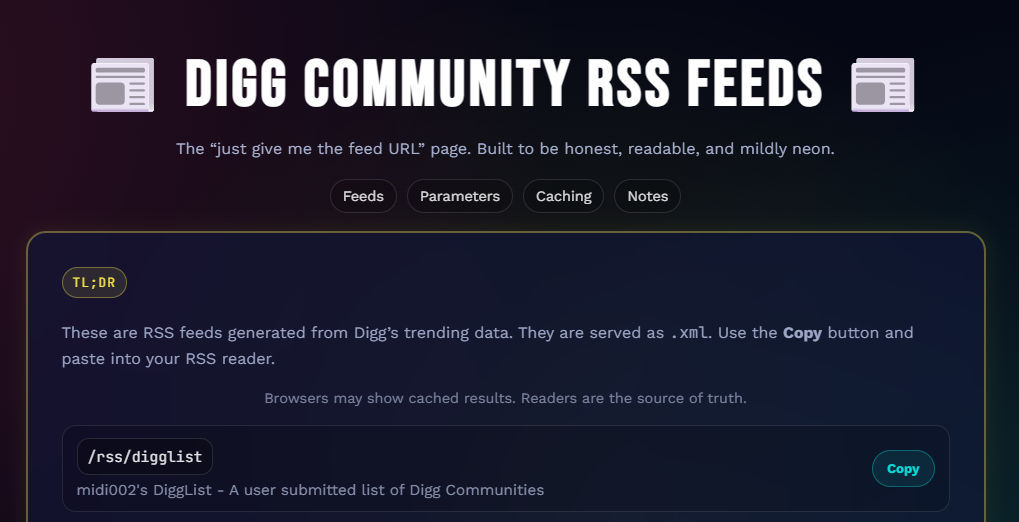
Some user made a bridge tool for the Digg communities, announced here.

Wish it could've been official, but for those trying to keep forums alive, better than nothing I guess. =)
3


https://github.com/mratmeyer/rsslookup

RSS Lookup is a free, open-source tool designed to find the RSS feed associated with any URL. Simply paste the website's address, and RSS Lookup will scan the site's HTML and check common feed path conventions to give you the best chance at finding feeds on the site.

Check out the live tool: www.rsslookup.com

4


Just a rambling post, btw.

But those that post about such news usually are on platforms that, likely unbeknown to them, have RSS feeds either natively or by bridges.

Ironically, the subreddits I still lurk, including the one I saw the post on, I do so thanks to RSS feeds, since Old Reddit still has it.

That's it. "<.<

5


Crossposted from https://thebrainbin.org/m/programming@programming.dev/t/1374405

From the OP:

I have created InsideStack where you can search tech content from currently over 600 Tech Feeds from independent bloggers, Open Source Projects, small Tech Media Houses and Big Tech companies. I am purely following RSS/Atom Feeds and do not scrape the web.

My Goal is to provide a diverse Tech Feed with quality Content and also increase visibility of independent Tech experts which are putting a lot of effort into their blogs.

It is hosted on Hetzner. It has also semantic search (using Mistral Embedding) which is functioning very well.

I would appreciate your feedback. Also if you have any recommended Blogs/Feeds, I will add them very happily.

Also if it can be somehow integrated into Lemmy, I would be very happy to do so.

The original poster also asks for feedback, so I suggest doing so in the original post.

6


As I open articles in batch and either randomly or semi-randomly, I don't get to see where an article is coming from until it loads in the browser. But when it does, chances are the article's hidden somewhere, and the search function only finds the article, not its feed (unless you name the feed as its link).

That would be a problem as then if you find an article whose feed you no longer want, you get reminded to remove it, but have no easy way to track it down. Or, tangential to that and the main reason I sought a solution, Mbin feeds if malformed but still recognizable as RSS feeds become the feed for the landing page, meaning spam of a bunch of communities I want nothing with. 💩

And since some versions ago, a solution indeed came for Newsboat, where it added the article-feed function which when used within an opened article, takes you to its source feed, allowing you to get its link and remove it with your text editor of choice. And it can be tied in Newsboat's config to an internal macro or as a menu option.

Worst part was having to compile the program, but nothing out of this world and at least it works fine when not installed to the system (best option since I couldn't make a decent AppImage out of it).

7


I have multiple .opml files (that list rss feeds I subscribe to in xml i.g.) with different contents on different devices. How can I merge them without duplicates? Are there tools for this?

8


Recently, someone made a fork of Bluesky the instance and made Blacksky.

Got curious if accounts would load in there, and upon testing, they do. But then tested further, and even a local RSS is generated, akin to Mbin and Misskey!

Testing for example one of the parallel accounts of Extra Fabulous (comic series - link), just had to copy the handle over to the Blacksky instance (resulting link), and add /rss at the end the same way one would do with Bluesky (resulting link).

Couldn't find any Blacksky profiles yet to test the opposite, but I'd imagine it'd work unless Bluesky actively tries to block the instance.

But alas, good news for redundancy or if someone prefers one service over the other! =D

9


Use thunderbird as a rss feed reader? Or do you dislike thunderbird and prefer others because of certain features?

10


Thought it might be interesting to share, so below it goes.

Feel free to suggest any more!

RSS search/lookup tools


  • RSSHub Radar - browser extension that tries to find RSS links in pages currently being looked at.

  • RSS Lookup - the site looks up for feeds in the page that loads by the link the user provides, and as a bookmarklet looks up for feeds in the current tab.

Unofficial ones


Fediverse instances

  • Lemmy - At the top of any given community, copy the link from the RSS feed button to the side of the filter and sorting options. Lemmy only hosts local feeds, so getting the link of e.g. an ani.social community through lemmy.world will grant you an ani.social feed, not a lemmy.world bridge.

  • Mastodon - Go to the main page of a given profile and add .rss to the end of the link. Akin to Lemmy, only tracks local profiles.

  • Mbin - Each feed (list of posts) has a(n RSS) feed at the bottom of the sidebar, in the RSS hyperlink right above Powered by Mbin. Allows tracking remote communities, unlike Lemmy and Mastodon, but doesn't seem to track either microblogging posts or threads marked as +18.

  • Misskey - Same as Mastodon, add .rss to the end of a profile's base link. Allows tracking remote profiles.

  • Peertube - for one of the feed variants, in a given channel's main page, click on the arrow to the side of the "Subscribe" button, and in the dropdown menu, get the RSS link from "Subscribe via RSS"; for the other variants, when available, in the same page, look for "Subscribe to RSS feed" (ctrl f if you can't find), and get the format you want from the RSS icon's dropdown menu to the right. Unfamiliar how Peertube handles remote profiles.

  • PieFed - In a given community, get the RSS link from the RSS feed hyperlink in the sidebar. Allows tracking remote communities.

  • Bandwagon - With a profile's link, e.g. https://bandwagon.fm/@some_user, add /feed?format=atom, /feed?format=rss or /feed?format=json at the end of the link, whichever you prefer. Alternatively, go to the page's source (on Gecko browsers, e.g. Firefox, Ctrl U or by adding view-source: to the beginning of links), look for the links with /feed?format=, and get the link or links you want/need.

Fediverse bots

  • Fediverse bot, RSS Parrot - Instructions on the site. Tested making a feed on both Mbin and Mastodon, but only worked in the latter. After that, users can have a fediverse-provided RSS feed through Misskey, as explained in the section above.

  • Fediverse bot to Bluesky, and vice-versa, @bsky.brid.gy@bsky.brid.gy / Bluesky counterpart - Instructions on the bot's bio. Testes on both Mbin and Mastodon, but doesn't appear to work on the former. Then follow the Bluesky mirror for the account through Bluesky's RSS (instructions in the section below), and the fediverse mirror for the account through Misskey (instructions in the Fediverse section above)

  • Fediverse instance for RSS bots, Ibbit, successor of Pondercat (RIP) - Meta community (@meta@ibbit.at) used (also) for requesting new feeds to be tracked, according to its sidebar. Once included, users can have fediverse-provided RSS feeds through Lemmy, Mbin, Piefed and Misskey, as explained in the Fediverse section above.

Other forums/blogs/microblogs

  • ArtStation - Use https://someuser.artstation.com/rss, changing someuser for the ID of a given user found in its link.

  • Bluesky - Add /rss to the end of a given profile's base link.

  • DeviantArt - Use https://backend.deviantart.com/rss.xml?type=deviation&q=by%3Asomeuser+sort%3Atime+meta%3Aall, changing someuser for the ID of a given user found in its link.

  • Reddit - Using old.reddit.com, add .rss to the end of user or subreddit links, e.g. https://old.reddit.com/r/AskReddit/.rss and https://old.reddit.com/user/spez/.rss

  • Medium - Add /feed right after the domain, e.g. https://medium.com/feed/@someexample

  • Tumblr - for profiles with the link pattern https://some_user.tumblr.com/ and custom links (e.g. https://satw.us/), add /rss at the end of the link, e.g.https://some_user.tumblr.com/rss and https://satw.us/rss

Other sites that have feeds due to their underlying engines

  • Both Blogger and Livedoor (ライブドアブログ)-powered sites - Look for it in the page's source, e.g. Gecko's Ctrl U or view-source: for the feed links right after rss+xml and atom+xml mentions (two different types of feeds, so pick the one/ones you want/need).

  • Discourse-powered forums (e.g. RetroPie's, and these forums look kinda the same) - forum categories and posts both have a (small) RSS button, the former to the side of the category's name at the top, and the latter to the side in the statistics right below the post's name at the top.

  • Wordpress-powered sites - By default include RSS options for new posts and comments in their source codes, so Gecko's Ctrl U or view-source: again.

Steam (community, store, etc.), because it has an excessive amount of feeds

  • Steam curators - Use https://store.steampowered.com/feeds/curator/<curator-id>/, e.g. for "Games at risk of removal" with ID 31857481, https://store.steampowered.com/feeds/curator/31857481/

  • Steam group announcements (News Hub) - Use https://store.steampowered.com/feeds/news/group/<group-id>, e.g. for Steam Client Beta with ID 4397053, https://store.steampowered.com/feeds/news/group/4397053

  • Steam group announcements (Steam Community) - get the link from the button at the sidebar of the announcements tab, or more guaranteed since a variant interface doesn't show it, using the group's base link (e.g. https://steamcommunity.com/groups/somegroup), add /rss at the end.

  • Steam game news (News Hub) - Use https://store.steampowered.com/feeds/news/app/<app_id>/, e.g., for Dota 2 with app ID 570, https://store.steampowered.com/feeds/news/app/570/

  • Steam game news (Steam Community) - Use https://steamcommunity.com/games/<app_id>/rss/, e.g., for Starbound with app ID 211820, https://steamcommunity.com/games/211820/rss/

  • Steam general news (News Hub) - Use https://store.steampowered.com/feeds/news.xml

Other stores, store-adjacent and catalogue-esque sites


  • GOG's announcements - Use http://www.gog.com/frontpage/rss

  • Ototoy - Use https://ototoy.jp/rss/

  • VGMdb (game & anime albums database) - "Albums Just Added" & "Upcoming Albums" linked in the sidebar.

Comics and comics blogs

  • A Softer World - Use http://asofterworld.com/rssfeed.php

  • Buttersafe - Use https://www.buttersafe.com/feed/

  • Junior Scientist Power Hour - Use https://www.jspowerhour.com/comics.rss

  • Line WEBTOONS - If a series there has an RSS feed, the RSS button appears to the left of the "Subscribe" button near the top right.

  • Safely Endangered - Use https://safelyendangered.com/blogs/comics.atom

  • Tapas - Go to a given series, e.g. https://tapas.io/series/some_series, and add rss/ before series/, e.g. https://tapas.io/rss/series/some_series. Also found an extension that adds a button with the RSS link to a given series' page (Firefox Add-Ons link)

  • xkcd - Use whichever you want of https://xkcd.com/rss.xml and https://xkcd.com/atom.xml

  • クラゲバンチ - From my experience, RSS button for a given series included in any of its chapters.

News/magazines sites (most gaming and/or tech-related)

  • GamingOnLinux - Home page and each page from the Sections tab that once opened have a "Latest" segment have their own feeds with their respective RSS buttons.

  • GrabFreeGames - Use https://grabfreegames.com/rss

  • Indie Retro News - Use https://www.indieretronews.com/feeds/posts/default

  • Nintendo Life - Use https://www.nintendolife.com/feeds/latest

  • Nova (some Serbian news media) - Use https://nova.rs/feed

  • Switched to Linux - All feeds linked at https://www.switchedtolinux.com/rss-feeds

  • RPG Site - Use https://www.rpgsite.net/feed

  • VGMdb (forums) - Need to check again, but previously could only find some feeds through the page's source (on Gecko browsers, e.g. Firefox, Ctrl U or by adding view-source: to the beginning of links).

  • Waterfox - Use https://www.waterfox.net/blog/rss.xml

Video platforms

  • Odysee - Go to a given channel, click on the 3 dots in the top right, and click on Copy RSS URL.

  • Youtube - If a given channel's link follows the https://www.youtube.com/channel/some_very_random_code, put this code at the end of https://www.youtube.com/feeds/videos.xml?channel_id to have the channel's RSS feed. Alternatively, or if the channel's link follows the pattern https://www.youtube.com/@some_channel, open the link, wait for it to load, open the page's source (on Gecko browsers, e.g. Firefox, Ctrl U or by adding view-source: to the beginning of links), look for application/rss+xml (Ctrl F helps) and get the link that comes right after.
11


tl;dr: add /rss at the end of the base link of a given group

Long version of the post:

Usually you get the feed by going to the announcements tab of a given group and clicking the "Subscribe to RSS Feed" button or copying its embedded link, but some groups use a different interface where the button is not there.

However, it's still possible to get the RSS feed for a group without the button.

Taking example Top Hat Studios' official group, no button at the announcements tab is given, nor any option to change views, and no links at the page's source. But adding /rss to the link of the overview/home/landing tab gives you the link the button in other groups would give:
https://steamcommunity.com/groups/tophatstudiosofficial/rss

12


It seems some lights are on in the YouTube RSS department. Shorts in the feed now link to https://www.youtube.com/shorts/ID rather than the regular video player.

So it is nice that you can filter them, but unfortunately that you get the shitter video player now. But I think overall I'm happy.

13


Hi everyone,

Today I'm sharing powRSS: a public RSS feed aggregator.

powRSS updates daily with new posts from independent blogs and websites. The list of known sites is curated manually, but the feed is generated automatically by picking new sites each month, giving every site a fair chance to be featured.

This goes without saying but this is a non-commercial, entirely personal project inspired by my own use of CAPCOM in Gemini and Bongusta in Gopherspace, as well as old-school website directories back when the web felt smaller.

You can find the feed here: powRSS.com

And you can learn more about the project and background here: https://enocc.com/2025/05/24/launching-powrss.html

If you have a personal website or blog, I would strongly encourage you to leave a comment or send me an e-mail, as I’d love to add it to the public feed.

I hope some of you may find it useful :-)

14


This is pretty well known, but I'm sure there are some people out there who haven't thought of it, because I was one of them until just this year.

You can find links to RSS and Atom feeds below the comic.

I love this RSS feed because it even shows the easter egg text when you hover over the comic in your feed agg.

15
16


Open RSS is a registered 501(c)(3) nonprofit organization that provides free RSS feeds to the public.

Thought some might be interested in this.

17
18


I’ve been using NetNewsWire before I moved to Windows. It’s perfect as long as you’re in the Apple ecosystem.

Now that I moved to Windows (I was forced to), I can’t use iCloud to sync rss feeds and favorite articles. I’ve tried feedly but it sucks. I ended up using Outlook, but it doesn’t sync with its iPhone app. Is there any free way to do this, hopefully using opensource software? Syncthing doesn’t work on iOS, by the way.

19
20
1
submitted 2 years ago* (last edited 2 years ago) by mulcahey@lemmy.world to c/rssfeeds@lemmy.world


The goal: Easily see upcoming events from various NYC venues in one place, possibly a Google Calendar.

The problem: Bars and venues all use different sites and apps to manage their event calendars, meaning I have to check EACH one individually. It sucks.

A few venues use Google Calendar, so I've already managed to import those to my own Google Calendar via IFTTT. But the rest use their own website. I've listed all of my desired venues & their calendars below.

My best guess at a solution: Find a way to convert these sites to RSS, then use IFTTT to convert the RSS feeds to Google Calendar entries.

  1. Is that the correct solution?
  2. Does anyone know the best way to do that?

Here are the calendars that I need to convert:

And one newsletter:

These venues already use Google Calendar, so I've successfully imported them into my Google Calendar.

Thank you RSS Feeds community!

21
22
1
submitted 2 years ago* (last edited 2 years ago) by Crul@lemm.ee to c/rssfeeds@lemmy.world


Disclaimers:

  • There may be broken or non-updating feeds.
  • There are repeated entries with different sources, I have them in case one of them breaks (which is not unusual).
  • There are some Spanish ones.
  • I had some from Twitter that I've removed because (AFAIK) not even Nitter works.
  • Same with Instagram, I think there are already some RSS feeds working, but I removed them some time ago.

List:

...Y sin embargo se mueve

2 Kinds of People

ADHDinos

ADHDinos

ADHDinos

agustina guerrero · illustration

Alarmingly Bad

alberto montt

Angel De Franganillo

Arcade Rage

Art & Illustration by Tim Andraka

Barb

Berkeley Mews

BigInsaneHappy

Birome Kamikaze on Facebook

Bolibic Bloc

Brutally Honest by Deya Muniz

Buddy Gator

Buni

Buttersafe

Carladetal

CATANA COMICS

Channelate

Chris Hallbeck

comics: search results - author:"EclecticBaboon"

comics: search results - author:"PTomCruiser1"

comics: search results - author:pinkalpacacomics

como los sapos ciegos

Creatures of Gothenburg

Crow Time

Cryptid Club

Danby Draws Comics

Death & the Maiden

deep-dark-fears

Dog with Boots

Dogmo Comics

Don Serapio

El blog de Diego Burdío, Sara Smith y otras cosas

EL CHISTE DE MEL

El Joven Lovecraft

El Listo

El perro Mistetas

EL ROTO

El señor enviñetado - The man in the strip - Webcomic - Tiras

elKOKO

Ernesto Rodera

Existential Comics

Extra Ordinary

False Knees

False Knees

Finnish Nightmares

Foxes in Love

funny: search results - author:vcsandfeces

Gato and Brush

Gazpacho Agridulce

Germán Ferrero

Ghost Cats and Tea

Good Bear Comics

Heck If I Know Comics

hep

Hi, I'm Liz

I like potatoes

Ian Mora

IGdoods

Illustration: search results - author:"afros2000"

INCIDENTAL COMICS

Itchy Feet: the Travel and Language Comic

Jim Benton Cartoons - GoComics

Jordan Bolton

Junk Drawer - GoComics

KB Comics

Last Place Comics

LE PUEDE PASAR A USTED

Lemmy.world - nathanwpyle

Let's Pacheco!

Let's Pacheco!

Linux Hispano

Little Nuns by Diva

Liz Climo Cartoons - GoComics

Liz Climo

Lo invisible es esencial a los ojos

Loading Artist

Loading Artist

Lombilla

Marcelo Rampazzo

Marina y sus Cosas

Mathilde Van Gheluwe

miau

Moderna de Pueblo

MonkeyUser

Mr. Lovenstein

Mrs.Frollein

mundo malagon

newest submissions : HotPaper

Noumena

Oleísmos

Otterly Human

Palomitas y maíz - Webcomic de humor inocentemente pervertido

Penti y Atlo

Pink Reaper

Poorly Drawn Lines

Port Sherry

Port Sherry

Pterrible Dinosaur Drawings

Purr.in.ink

red ❤️ blue

Rulo

Sarah&#39;s Scribbles

Sarah's Scribbles

Sarah's Scribbles

Saturday Morning Breakfast Cereal

scarecrowbar

Secondlina's Panels

Sinergia sin control

Skeleton Claw Comics

SPACE AVALANCHE

Speed Bump - GoComics

Steve Cutts

submitted by buttpoems

submitted by eldercactus

submitted by Eye_Juice

submitted by JimKB

submitted by TommySiegel

submitted by watsonspike

submitted by wholesomecomics

System32Comics

SÓTANO (del Horror) INNOMBRABLE

TaTeRPiG

tavicomics

The Awkward Yeti

The Immortal Grind

The Other End Comics

The Perry Bible Fellowship

TheUpturnedMicroscope

TheWeeklyRoll

they can talk

Toothy Bj

Tortoise and Dino

Tricky Trapper Camp!

troche

Trying Times

Un respeto a las canas

War and Peas

webcomics: search results - author:yahspreadit

Wrong Hands

Wumo

xkcd-es

xkcd.com

y contra el viento

YO CONMIGO

YOU'RE ALL JUST JEALOUS OF MY JETPACK

23


Publishers who don’t want their stories summarized can apparently opt out by incorrectly labeling their posts as paywalled, thus demoting themselves in search.

24


I'm trying to throw RSS feeds up on my TV, kinda like a screensaver. (My TV is hooked up to a Linux PC.) I'd love to have a nice auto-scroll or fade or some kind of animation. So far, the only tool I've found is RollGator, which is ok. I'd love some other options though. Anyone have a good tool for this?

25


#friendica is one of the longest lasting #Fedi platforms, around longer than Mastodon for instance, some people say it's the Facebook of the 'verse, but I'm not sure if that's accurate. When I first joined the 'verse I still spent a lot of time of time on Facebook because of how little content I saw on GNU Social.

One of the folks I followed from their recommended I really try out Friendica as it supported significantly more protocols than GS did. I gave it a shot. While in 2023 most everyone, including GS, supports activityPub, so there's a lot more content in general, Friendica still supports more than anyone else, and supporting RSS Feeds was what got me hooked. I never actually had used RSS regularly when it was more popular in the 00s-10s, I never really "got" it, and found it easier to just go to the websites than follow a feed. But having RSS in my social media feed, just like any other friend's post, that was something completely different. It allowed me to get high quality content to read regularly, comment on, share with my friends etc., even though the content creators themselves hadn't yet joined the 'verse. Plus their "add friend" feature is like magic, allowing me to just enter a www address and it would find a feed for it, even those that don't seem to advertise anywhere on the site that they have RSS feed, or in some cases I suspect its baked into their base (Wordpress?), don't even realize they have an RSS Feed.

I'm posting to this Lemmy group from Friendica right now, (where it shows as a "Friendica Forum" which is pretty much the same thing only missing the the ability to sort by hot/new/etc. But then again, the sort options it does use, might be the same.

Social Media isn't collapsing, it's getting better.

If you want to try it out clearly I like opensocial.at, but you can see if there's a better one for you dir.friendica.social/servers or friendica.fediverse.observer/

#SorryNotSorry for being an evangelist here. I'll post the feeds I follow in a bit.

view more: next ›