Note to self - Don't sit near a magnesium fireplace if you don't want to tan your bones, which are now exposed due to the flesh getting melted off by the said fireplace.
xavier666
joined 2 years ago
Hypothetically speaking, will you get sunburnt if you sit near a fire all day?
Looks suspiciously like https://github.com/marktext/marktext
Edit: Ignore please, the project is dead
"No officer, you can't shoot me. I have a LLM in my pocket. Without me, it'll stop learning"
Duality of man...
Please be a bit considerate. It's hard for him to form human connections when you are trying to be a plague on humanity.
"Listen here you little shit..."
Wait, if GPU swap is in RAM, and RAM swap is in disk, is it technically possible that my frames are saved in disk temporarily?
Any reason for avoiding flatpak?
- Will it go away if I just clean the chair?
- What species it this?
- Do I have to burn my house down?
- How to avoid them from reappearing?


I have a question(s) regarding the various types of game controllers.
I need a wireless controller which supports PC (Steam Linux mainly and maybe Windows someday). While searching online, I see various types
- xbox/ps5/switch controllers : These are for their respective consoles
- Mobile/PC controllers : These usually connect via wire/bluetooth/2.4 GHz
Source: https://www.gamesir.hk/
However, I see in the product specifications page of the console controllers that they also support PC. And the PC controllers sometimes support some of the consoles. The only real difference between controllers, from a technology perspective, is that is some of them support bluetooth/2.4 GHz.
So I have two questions:
- If they are already cross-compatible, why even bother having different types?
- How should I decide which type of controller I should buy? It should support PC, console-support is not essential.
Note: I am a novice in game controllers but aware of different network stacks.
Edit: Thanks for the amazing response! These are my key takeaways from all the comments
- Hall-effect sensors are a must
- Default console controllers usually have stick drift
- If you need trackpad, take PS5
- 8bitdo is a reliable brand, as per multiple responses
- Most controllers have good support on Linux. But haptic feedback can be a hit/miss as it can be platform/game dependent
- There are various connectivity wireless standards. Dongles are the most reliable but you lose a USB port.
- Keep track of handsize/comfort and button layout
- PS controllers have excellent support on Linux/Steam

This is a post I wish I never had to make. Forgive my grammar and spelling as I am a bit emotional.
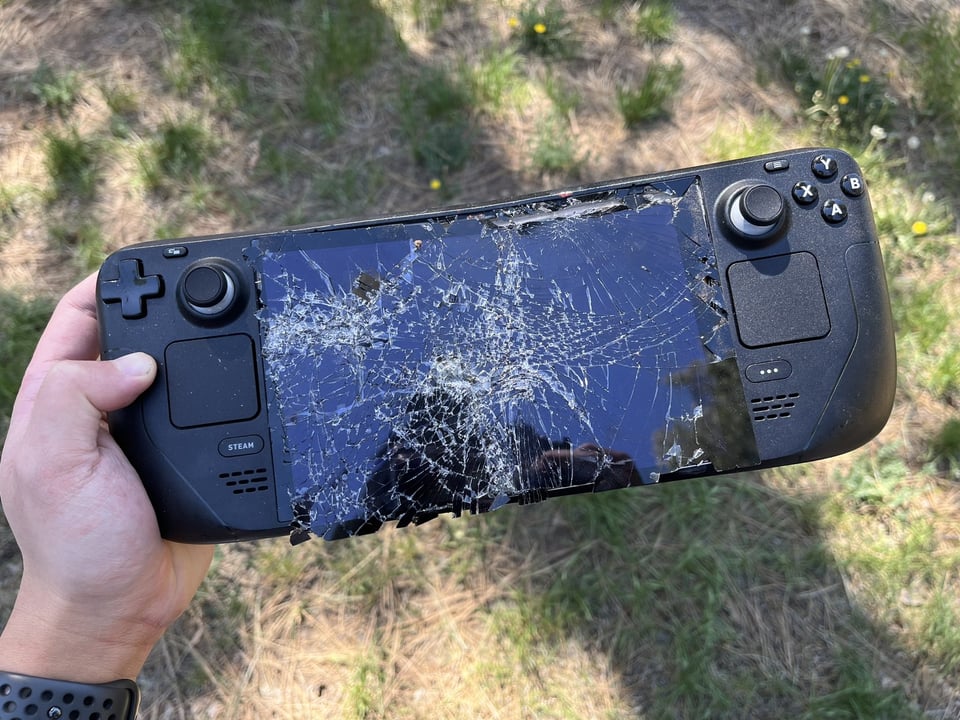
My Steam Deck was stolen and I just had it for less than 2 months.
It has been more than 2 weeks since it happened but it still hurts the same. I wanted to make this post because it was a very costly mistake from my side and I don't want it to happen to anyone else.
<story>
It happened when I was shifting from one house to another house and there were lots of maintenance workers at the destination house. After I kept my luggage inside the house, I left to buy some essentials. My mom was the only person left who was watching over the stuff. By the time I came back, the workers had left. I thought I have some free time so decided to pull the Steam Deck out but it was missing.
<vent>
I was absolutely devastated; I can't even begin to explain in words what it felt like. I asked, through the person who hired the workers, if they took it. But all the workers refused. I was just crushed; I could feel my heart dropping into my stomach. Even now, as I am typing this story, that emotion is replaying.
</vent>
After this happened, I removed all payment methods from my Steam account (Steam Guard 2FA was already active). I saw after 5 days that the Steam Deck was online for a brief period of time, via Steam Guard. I purposefully didn't sign out of the device because I wanted the thieves to make the mistake of signing in and giving me some clue about their location; the Steam Deck was still inside my city. I took the IPs and submitted it to the police and asked them if they could track it. They said they will try their best since getting the customer details from an IP is a "lengthy and time-consuming process". But at this point, I can't do anything; it's not possible for me to visit all the worker's home individually and check as I don't have the authority. I gave up and convinced myself to move on.
</story>
This taught me a lot of things and I wanted to share with the community, now that I have slightly recovered mentally.
Secure your luggage when moving
When you are moving, you usually have a million thoughts in your head. This can cause you to neglect your luggage's safety. If you are going to unload your luggage temporarily, KEEP IT IN A SECURE MANNER FIRST and then do everything else.
A secure manner could mean
- Under someone's watch
- Putting it far away from the exit
- Putting a lock on the luggage
- Putting it inside a cabinet and locking it
Don't just unload the luggage and start doing something mentally involving.
Be wary of outsiders
Sometimes, there will be outside people in your home. It's crucial to keep the Steam Deck out of reach of everyone. Not everyone is a thief but different people have different moral standards. Don't create a tempting scenario for others. Keep it secure when there are guests/workers at your place.
Put some form of tracking on the device
The Steam Deck is like a traditional laptop; it has no SIM or GPS. Once it's lost, it's really hard to get it back. There are methods by which you can track the Steam Deck (Steam Guard) but it involves IP and it's not enough to get an exact location. Other than law-enforcement, no one can find the customer details associated with an IP address.
An alternate approach, which can be slight pricey, is to put a Tile tracker on the device. There are tutorials on how it can be attached to the device.
Note: I'm not associated with Tile in any way.
Get the official Serial Number and MAC ID of the device
It will help you to uniquely identify the device IF it gets stolen. You may find the serial number on
- The bill of purchase
- Inside the Steam Deck settings section
- On the Steam Deck package
- You can ask Steam support for the serial number once it's associated with your account The MAC ID is present on the Steam Deck settings page (and also on your access point logs if it has connected even once).
I hope this post is educational and makes you wary of the physical dangers around us. Please keep your handhelds or any valuables safe
<vent>
What hurts even more is that the Steam Deck, which was the 1 TB OLED model, was a gift from a very special person and I feel like I have betrayed that person by losing it. I had lots of plans with the device, like making a couch plug-and-play setup, a retro gaming setup, a productivity device by using desktop mode, etc. But all my plans were shattered in an instance. I'm now convincing myself to move on to something else.
</vent>
Edit: As of 20th August, I can see via Steam Guard that the device was logged into a few hours ago (2 weeks post the burglary). I know the risks involved in keeping my device signed in. I'm counting on the person's stupidity. Any proper thief would have formatted the device.
view more: next ›
Thanks. I completely forgot that the standard suntan or sunburn is caused by UV rays. A fireplace doesn't create UV rays.