obelisk_complex

joined 1 month ago
[–] obelisk_complex@piefed.ca 1 points 1 day ago* (last edited 1 day ago)

So... How's it working? 😅 (Just realised it's been a while since I've touched HISTV and this came to mind, I've been working on my business and day job)

[–] obelisk_complex@piefed.ca 1 points 5 days ago

I watched Quantum Leap with my dad when I was a kid. You're gonna try and tell me I'm not writing this reply on Ziggy?

[–] obelisk_complex@piefed.ca 1 points 6 days ago (2 children)

Ah, what version did you try? This is due to issues with the renderer, but I just got this fixed by disabling GPU drawing for the form last night. Give 2.5.9 a go 😊

[–] obelisk_complex@piefed.ca 3 points 6 days ago* (last edited 6 days ago)

When Reddit started, Spez and Aaron made "sock puppet" accounts to make the site seem more active than it was, because you have to have what looks like an active user base to attract more users.

Now, after Reddit has gone public, they need the appearance of lots of users to attract advertising dollars and keep their stock price high, and there's no need to operate sock puppets by hand anymore because of LLMs - they can be the sock puppets, and if you have enough of them acting human enough, it doesn't even matter if some people realise or if one gets called out as a bot.

This also has the extremely useful benefit of steering society slowly towards the ideology of the billionaire, by having those bots normalise hate in the tsunami if messages they post.

I think the account you interacted with was an LLM, not even a real troll.

[–] obelisk_complex@piefed.ca 9 points 1 week ago (1 children)

Dammit I miss having raw semiliquid sugar encapsulated in more, solid (also, more solid) chocolate-flavoured sugar. Guilty pleasure, plus nostalgia?

9XWzqeQOuM3PFc4.gif

[–] obelisk_complex@piefed.ca 3 points 1 week ago

From Software patched the original Dark Souls PC port to remove Games For Windows Live when that service shut down, replaced it with steam networking. This was years and years before the remaster, so they weren't making money on it - they just up and fixed it. MMOs? A bunch of unpaid modders brought up the first WoW custom servers, and some of those were reverse engineered.

Your argument doesn't pass the "just look and see if it's true" test.

[–] obelisk_complex@piefed.ca 2 points 1 week ago* (last edited 1 week ago)

Hey, I haven't made a full post about this yet, but I thought you'd like to know: v2.5.0 is out, and it implements quietvoid's tools for DoVi support! https://github.com/obelisk-complex/histv-universal/releases

It'll even handle DV 5 and 7 😊

[–] obelisk_complex@piefed.ca 1 points 1 week ago (1 children)

I've been thinking about the longer stops and I don't hate it. Being forced to get up and move around sounds kinda pleasant, if I'm honest.

[–] obelisk_complex@piefed.ca 2 points 1 week ago (3 children)

I'm planning a road trip and I saw over $7 around Vegas just yesterday. And this ain't even the top.

[–] obelisk_complex@piefed.ca 4 points 1 week ago* (last edited 1 week ago)

Yes, it does imply it. It's the most common association for mushroom clouds in our media since the bombs were dropped. Doesn't guarantee it of course, but to act as though "they're unrelated and anyone making the association is ignorant" would be an indefensible position.

[–] obelisk_complex@piefed.ca 3 points 1 week ago (1 children)

You totally can though. It's a common phrase.


Me again :P

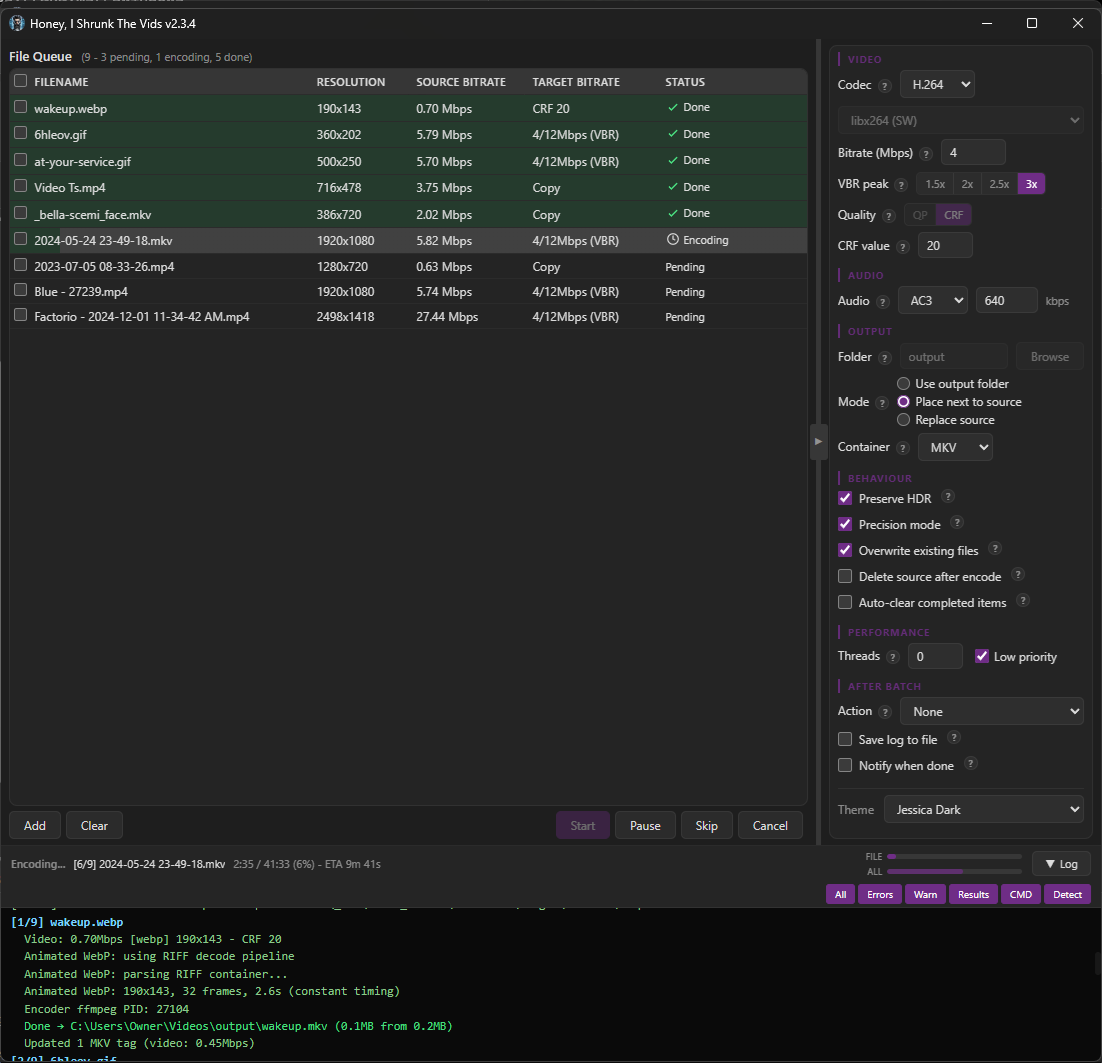
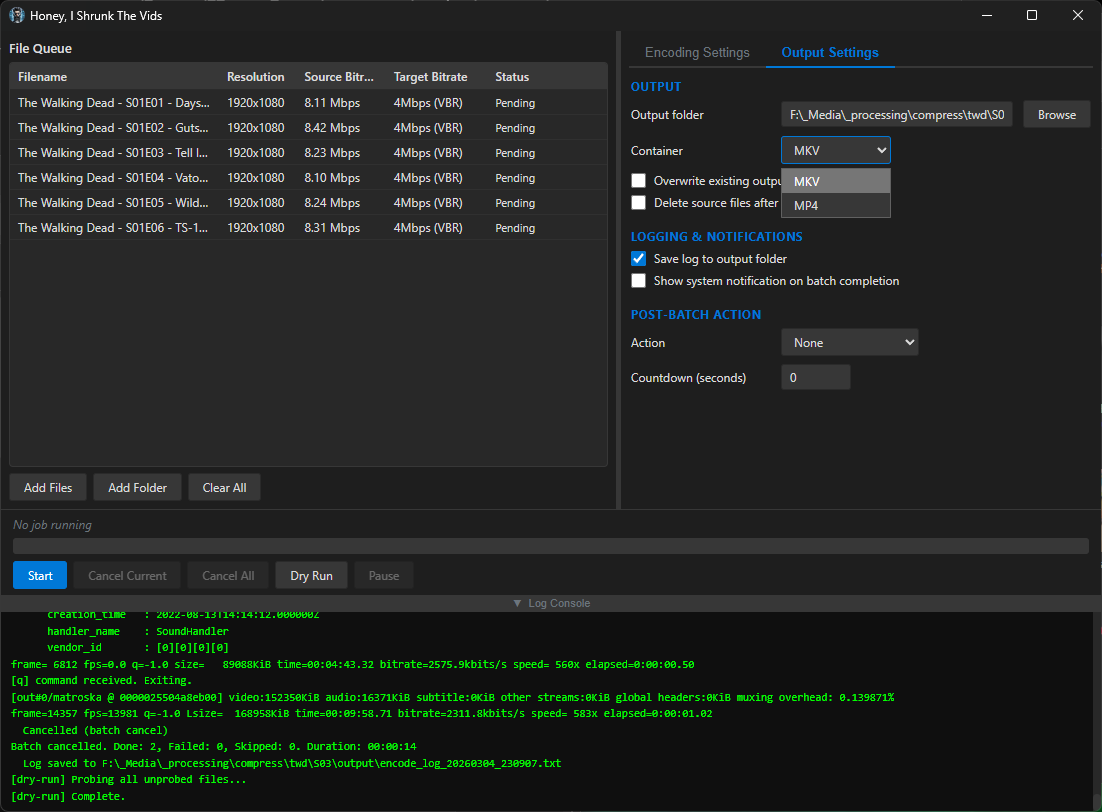
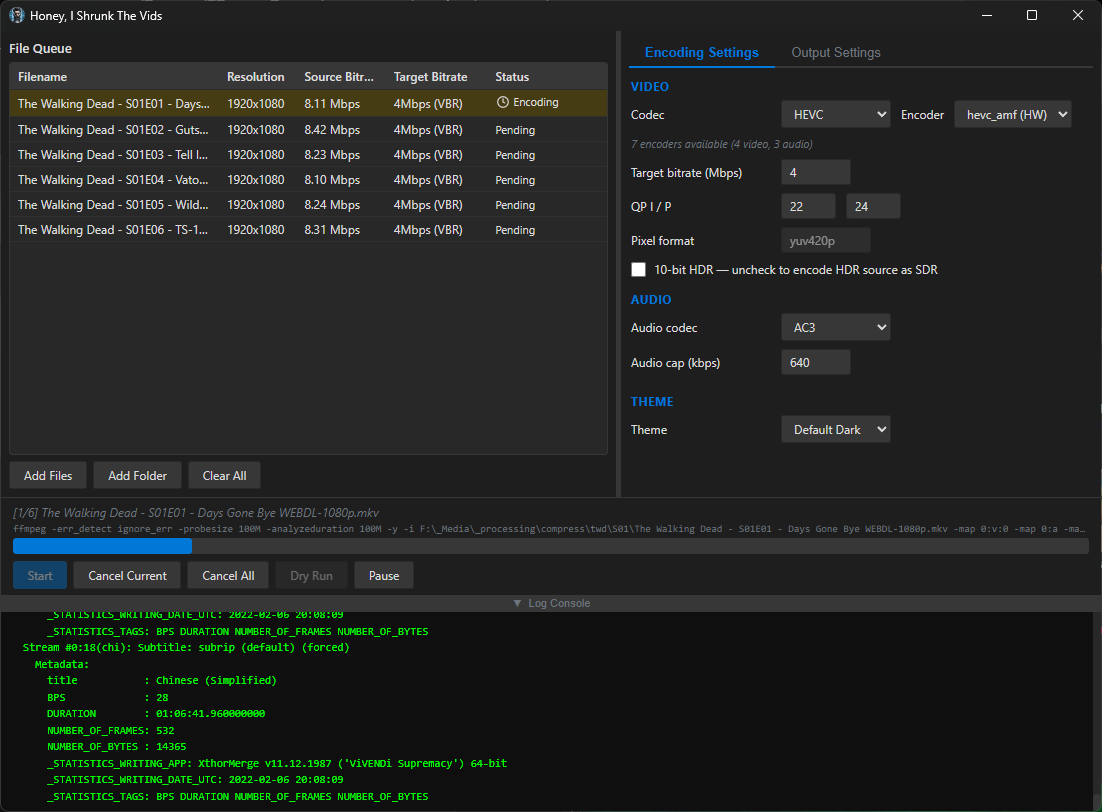
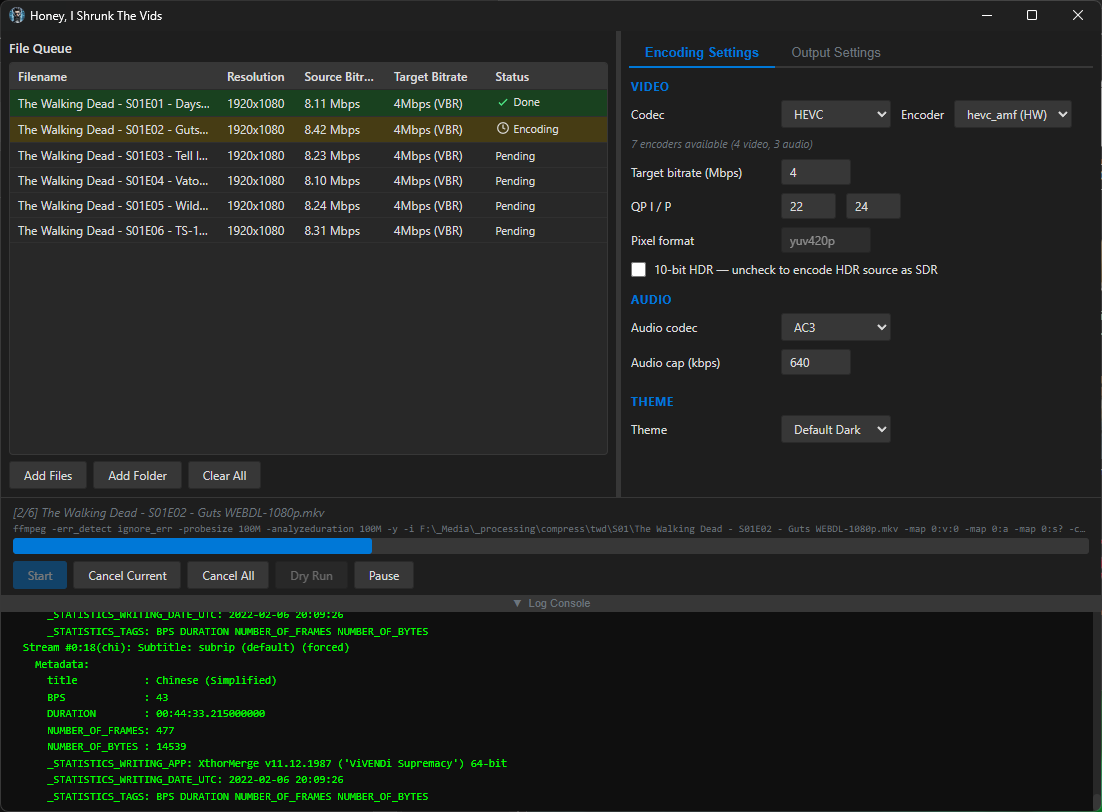
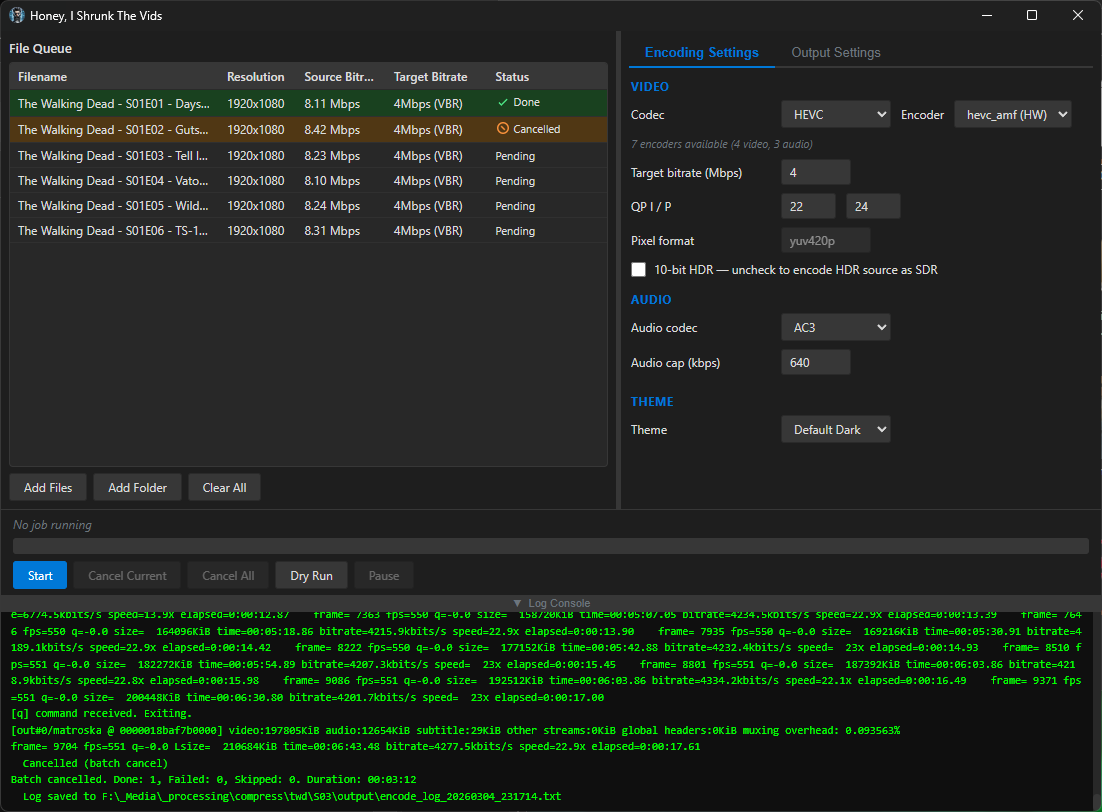
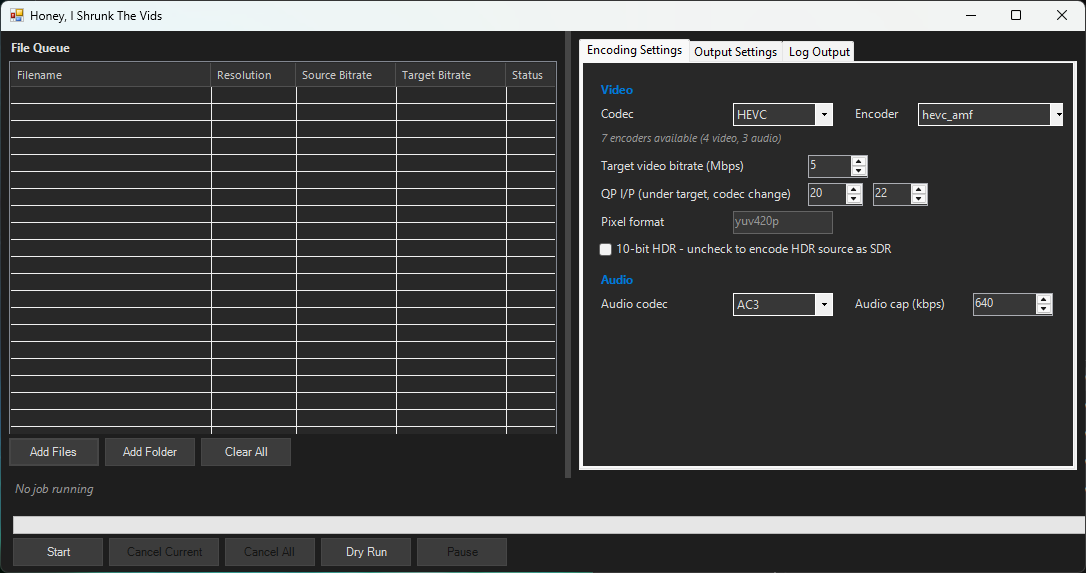
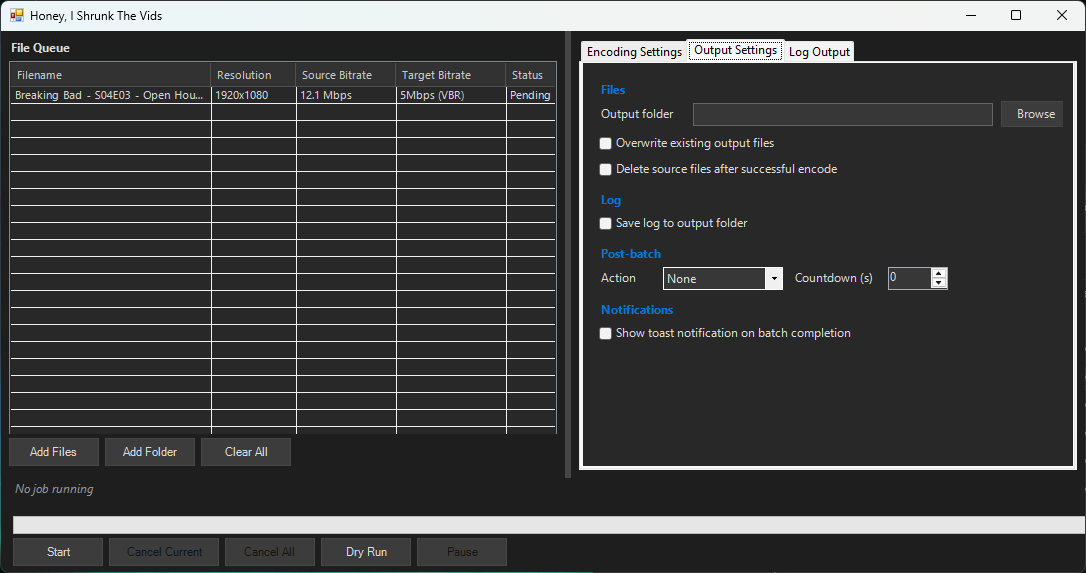
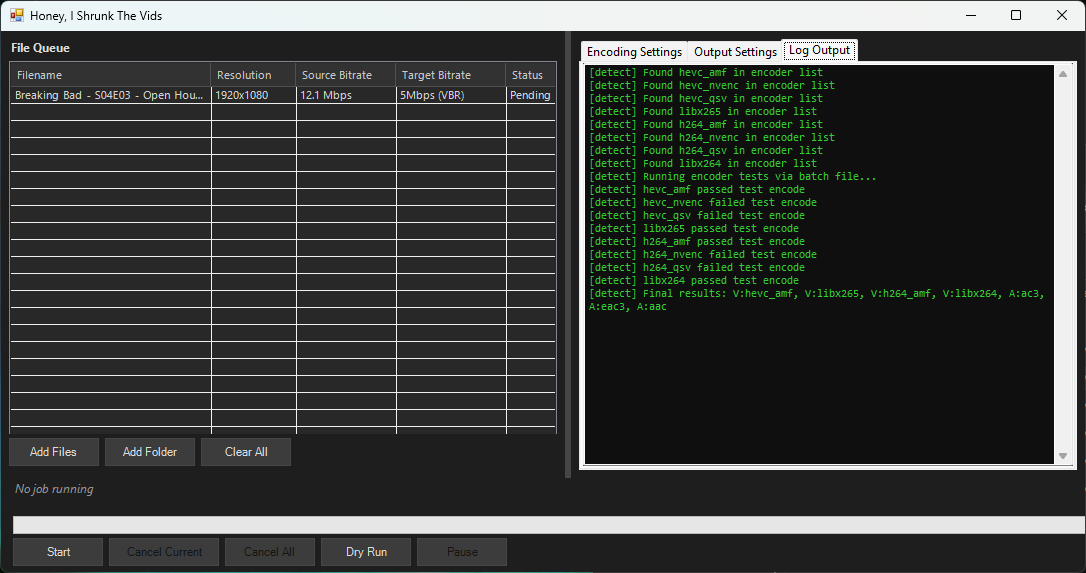
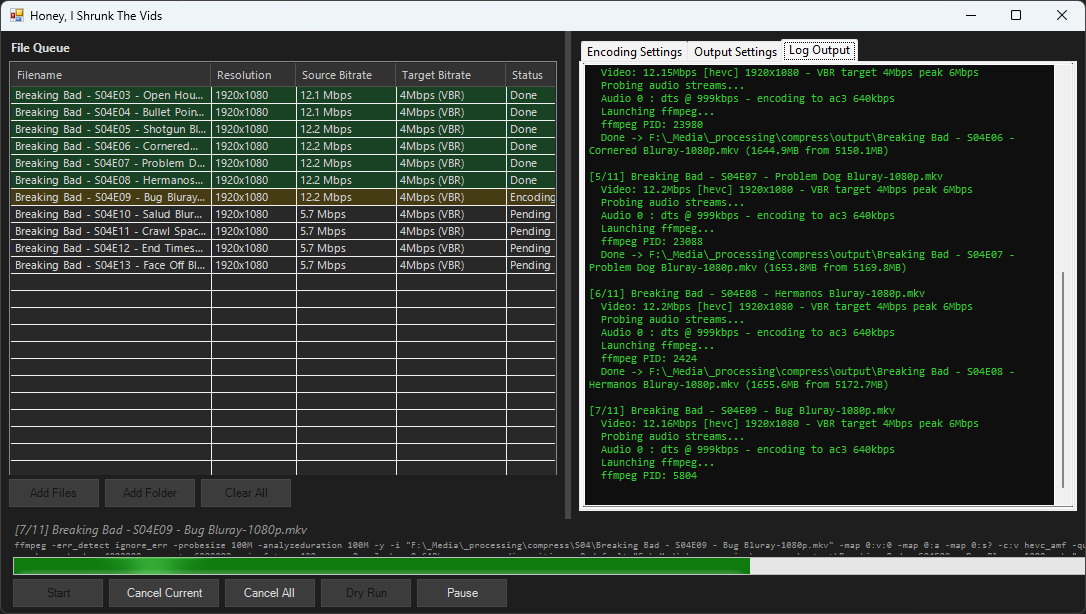
Honey, I Shrunk The Vids is a streamlined video conversion tool built on FFMPEG, with smarts built in for standardising all files put through it to a standard target bitrate into either .mp4 or .mkv containers, in either h.264 or HEVC format. Comes in GUI for desktop and CLI for headless operation. The idea is that you can point it at a folder full of folders full of videos and hit "Start", and trust that when it's through you'll have videos compatible with devices back to ~2014, smaller (or at least no bigger) than they were before, and with accurate MKV tags where appropriate.

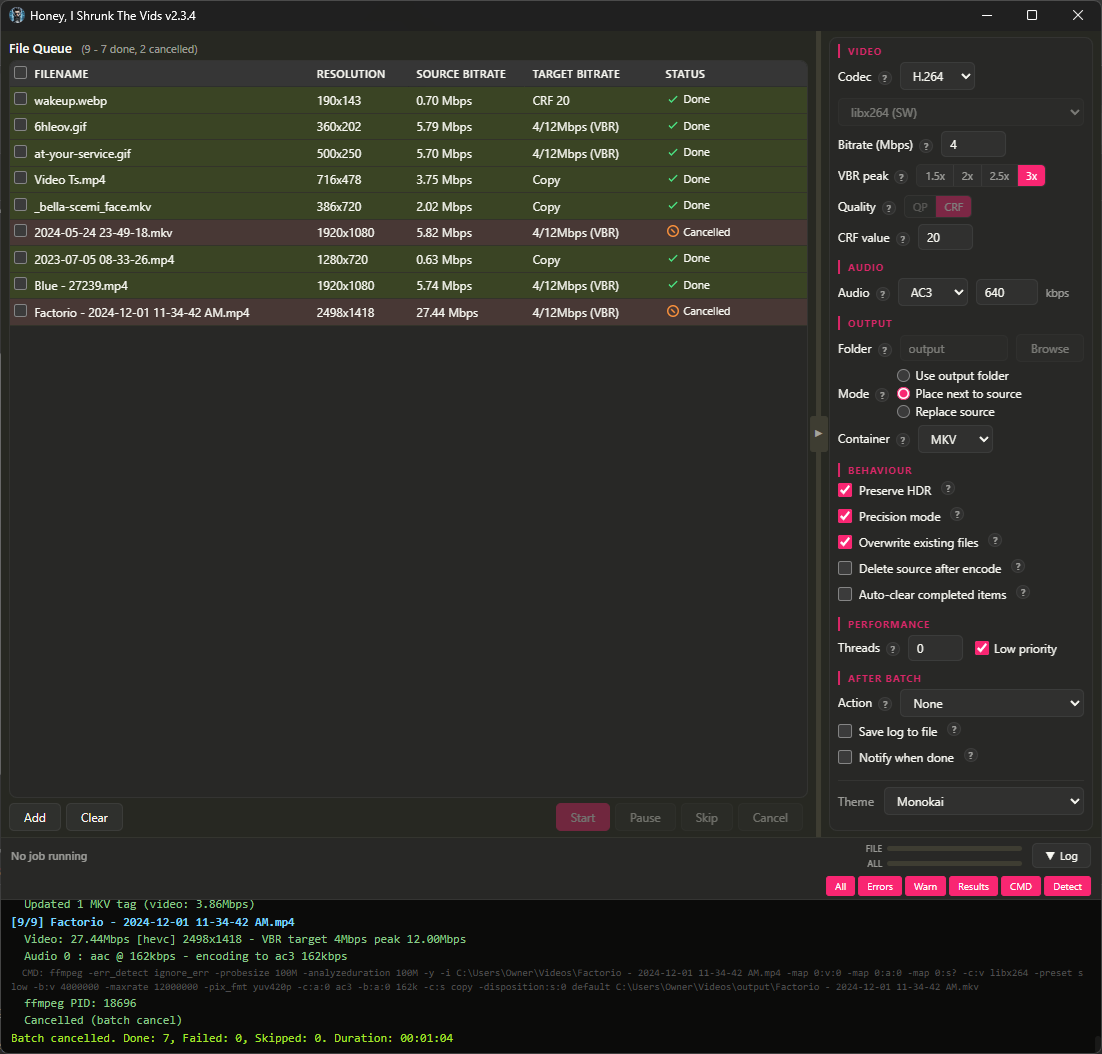
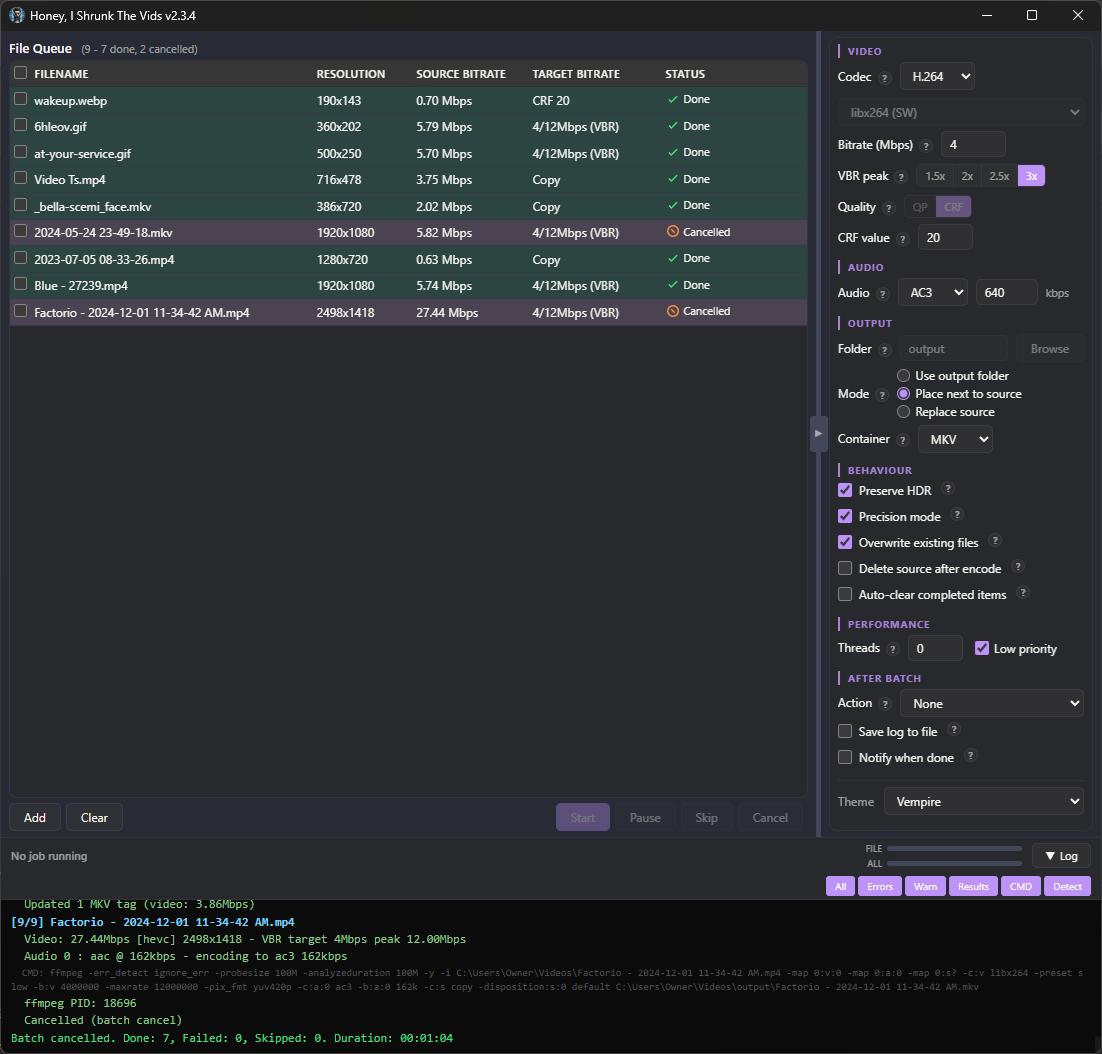
The application has gone through some more major revisions since my last post, and I thought people would like to know! The first thing you'll notice is the visual refresh:

Screenshots
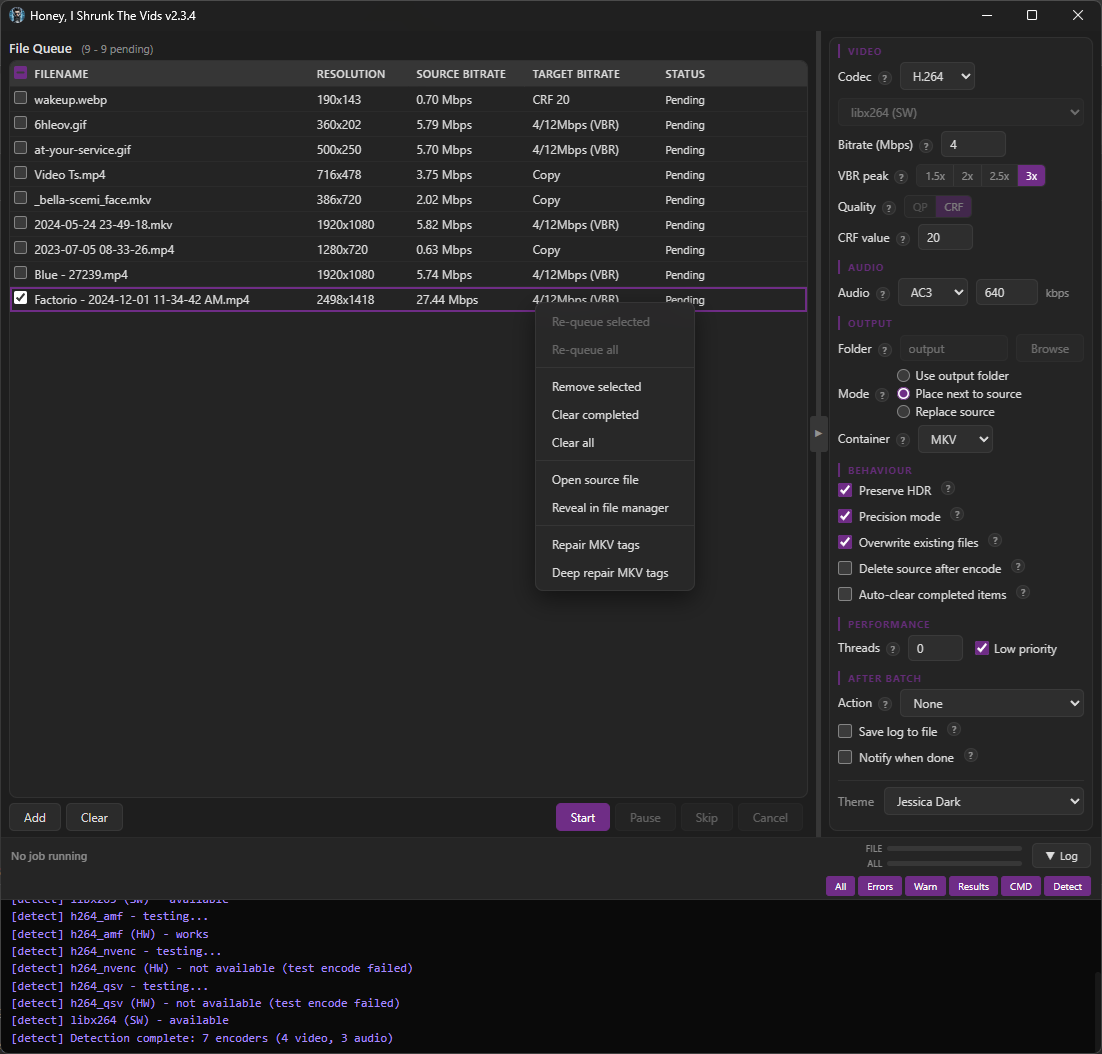
image

image

image

image

There are no more menu tabs; all options are exposed in a single side panel. Also, I added exotic filetypes for inputs: mts, mpg, mpeg, vob, flv, 3gp, 3g2, ogv, rmvb, rm, asf, f4v, y4m, apng, webp. That's right, you can convert basically anything FFMPEG supports to convert to MKV or MP4!

I'm particularly proud of the webp support. FFMPEG can't decode animated WebP natively (or at least, the most popular binaries can't; maybe someone has a fork that's fixed it), so HISTV:

  • Parses the RIFF container itself,
  • Decodes each frame through ffmpeg's static WebP decoder,
  • Composites them with correct alpha blending and disposal, and
  • Pipes the result to the encoder.

Temp files are completely avoided for storage/IO reasons; variable frame timing is preserved, so smooth per-frame progress is retained from source.

The one filetype I left out was .yuv, because that's raw data, no container or headers, and the user would have to enter the correct dimensions for each video (which defeats the core purpose of Honey, I Shrunk The Vids, so it's out of scope for this project).

The theme engine has been simplified, with only 6 keys down from 16, and everything named more intuitively so it's easier to tell what changes what. As well, a Linux user reported their FFMPEG wasn't discovered properly, so ffmpeg discovery now uses login-shell PATH resolution (previously macOS only), fixing detection when ffmpeg is installed to locations like ~/.local/bin.

Bunch of bugs got squished (for example the encoder would switch when toggling the new "Precision Mode" checkbox), and several more efficiency passes were made with more hand-edits than ever. This is the cleanest, leanest build yet, and the most featureful.

Finally, I added "-full" versions for each platform. These come bundled with FFMPEG, if you want just a single download.

Also, I've flirted with the idea of signing the Windows executable so Windows Defender stops complaining about it, but I don't yet see a reason to give Microsoft money for that. You can just click "More Info", and then "Run Anyway".

I'm running out of ideas for future updates, but if anyone has requests just drop a comment or open up an issue! And, as always, I'm here for questions. I hope you find it useful!
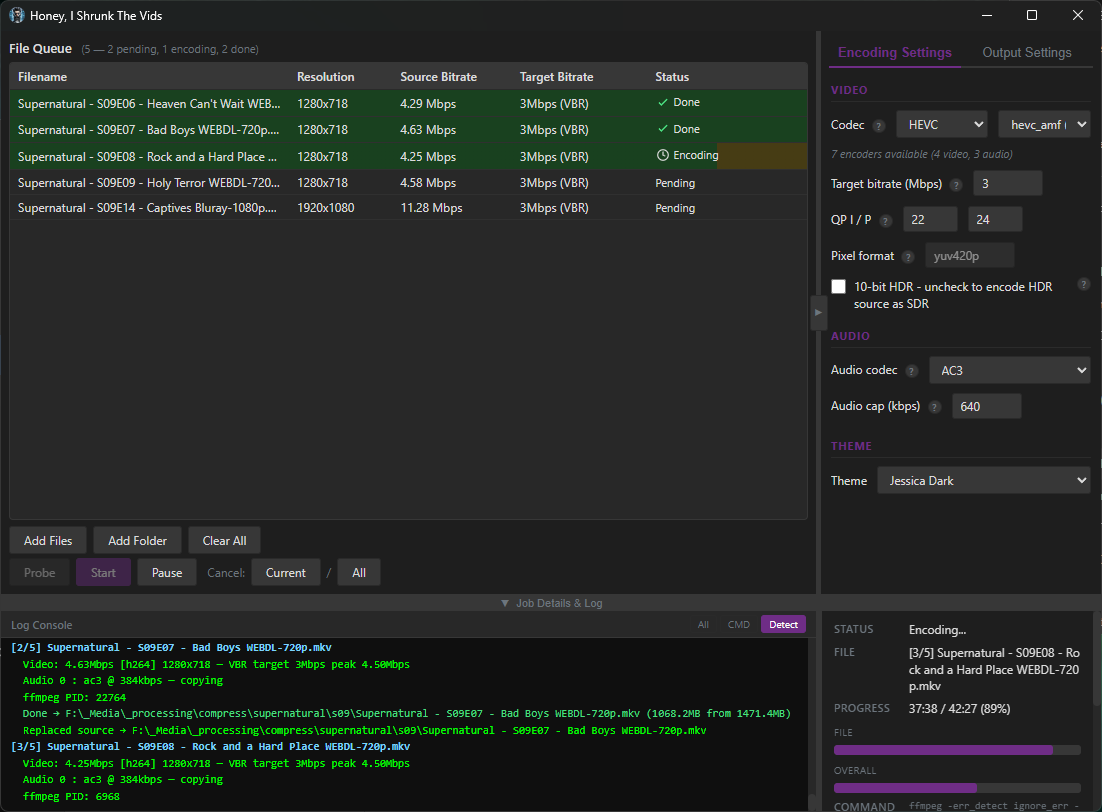
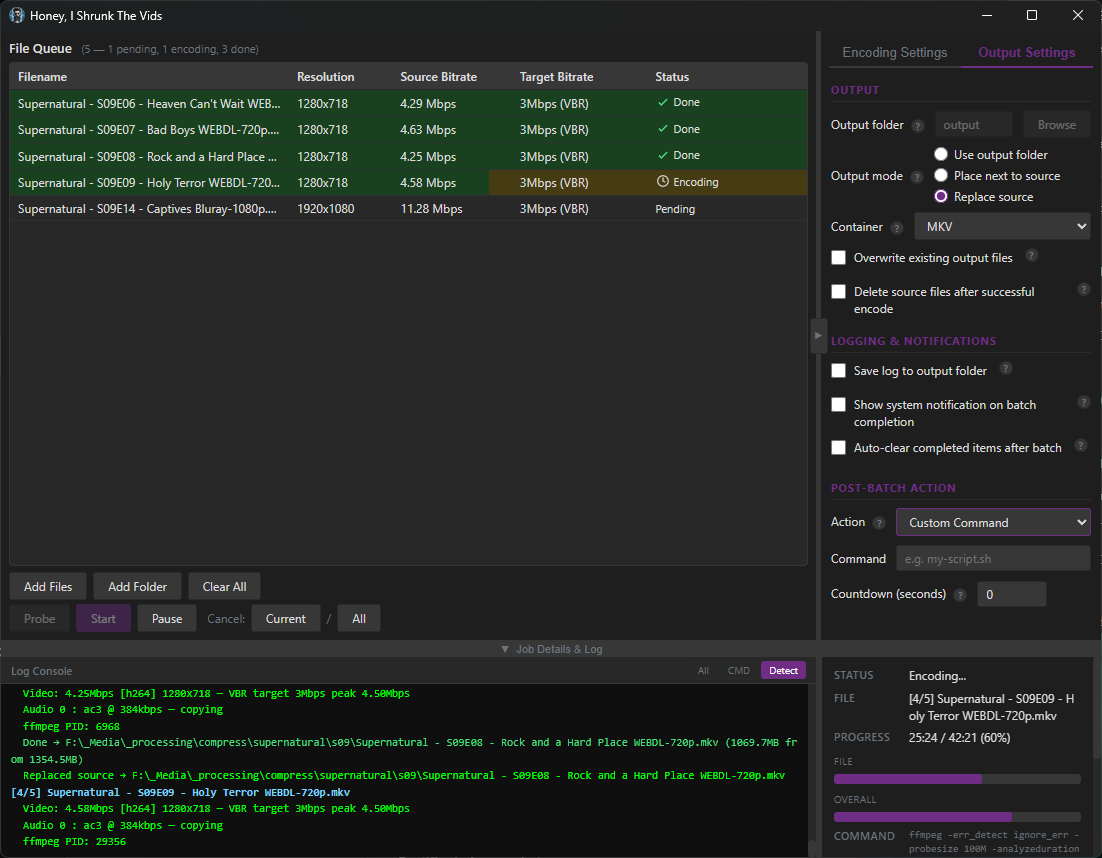
 

Honey, I Shrunk The Vids is a set-and-forget batch video converter powered by FFMPEG. Portable binaries are available for Windows, Linux, and Mac OS (both Intel and Apple Silicon platforms) - your choice of GUI for desktop, or CLI for server use.

AI disclosure, please click for more information: Quillx

Screenshots

image

image

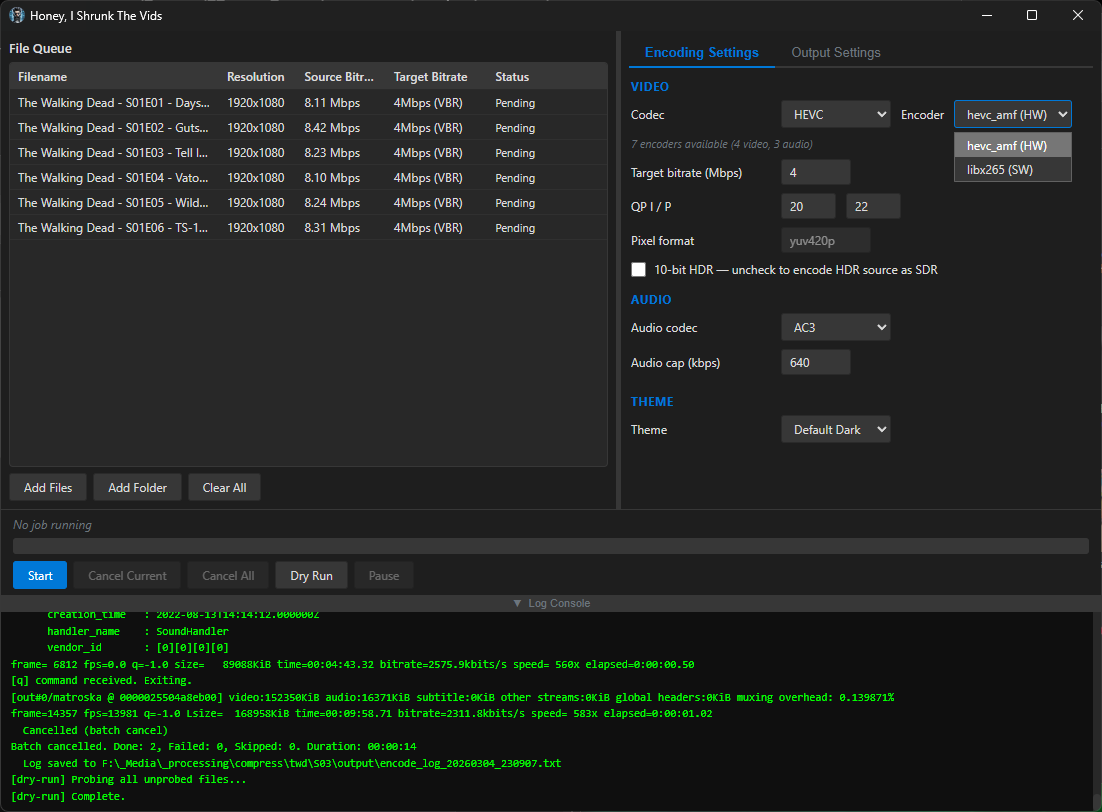
Originally I designed it as a PowerShell application with a WinForms GUI (first post for the curious ) because I got tired of tweaking FFMPEG commands per-file, but then wondered if I could port it to a more universal solution. Turned out I could; from the feedback on the second post I've since done several efficiency passes and resolved a number of scaling issues. Full details on the Releases page.

The reason for the version bump to 2.0 is pretty exciting: I added a CLI binary by user request. To support this, I also refactored the engine to decouple it from the frontend so the CLI and GUI use the same backend (purely for maintainability). Fixed remote-mount detection and local staging of remote files (don't wanna slam a CIFS connection with a live transcode, hey!); more efficiency passes, made the log a bit easier to read and added a job progress window, some Mac fixes for Apple's proprietary Spatial Audio tracks returning an unknown codec on probe, and I think it's in a good state at 2.1.1 so I rolled the changes into main with this release. The old GUI-only codebase is retired and this is the base I'll be applying any further updates/bug fixes to.

I took the screenshots as I've been writing this post; I'm actively using this thing on my own machines and so are some of my friends who've been helping me with testing. I hope some of you also find it useful! And of course if you find a bug, have a feature request, or just have questions, please let me know! Bugs, I will fix; feature requests I will at least consider, and may well implement. Questions, I will be happy to answer 😊


Honey, I Shrunk The Vids is an overengineered oversimplified system-agnostic frontend for FFMPEG. Built with assistance from Claude, but don't let that stop you reading - I'll explain why.


Predendum 6/MAR/26: Yes, I’m using genAI - specifically Claude - to help me build and improve this application. But, I believe I’m using genAI differently than the majority of projects. For one thing, I’m not blindly copy-pasting output and crossing my fingers that it works. I read the output, looking for things I know are wrong, and try to fix it; if I can’t, I ask what I’m doing wrong, and then I fix it. When I encounter errors, I’m reading the error output and if I know how to fix it I do it myself. I’m trying to actually learn, but I do that best by diving in and fixing the mistakes I make. I test informally* on the hardware I have available, which is two Windows PCs, and sometimes my friend with a 2016 Mac will do a test run for me to confirm stuff works. (*by "informally", I mean I don't write test cases. I know how, but they're repetitive and I hate them and I'm not doing it for my personal projects or I'll end up hating my hobbies.)

My goal in posting my projects is not to have other people audit my code for me, nor do I want kudos or approbation (except for any jokes you see. Those are all me). I’m posting what I’ve got when I’ve got it largely working, in case other people find it useful, and that’s it. I do hope that if people see something I could refactor or conventions I should be adhering to, they’ll drop me a (civil) note about it so I can keep it mind. I appreciate feedback and advice, but I’m not expecting it.

Thanks for reading, I hope you find HISTV useful!


This is a followup to a post I made yesterday, about a silly little Windows application I'd made for batch transcoding files. I wanted something that I could just dump my files onto without having to muck about with Handbrake or Tdarr - post here, for those curious: https://piefed.ca/c/selfhosted/p/568748/honey-i-shrunk-the-vids-a-windows-transcoding-frontend-for-ffmpeg

So I spent today making my silly little Windows application a silly little platform-agnostic application. I rewrote the whole thing in Rust and JavaScript with a webview frontend, and apparently Github lets you compile binaries for quite the range of target platforms, so I have compiled binaries available for Windows, Linux, and Mac (Intel/Apple Silicon). It's got a dark theme because of course and a light theme because I guess, also it's themeable because why the hell not. I'm pretty pleased with how it's coming along - if anyone decides to give it a go, please let me know if you find issues!

screenshots
image

image

image

image

image

Compiled binaries can be downloaded at https://github.com/obelisk-complex/histv-universal/releases


UPDATE THREAD (it's prettier, and on Mac and Linux now): https://piefed.ca/c/selfhosted/p/571213/honey-i-shrunk-the-vids-mr-universe-edition-v1-0-5

histv - Honey, I Shrunk The Vids

An overengineered PowerShell frontend for FFMPEG


Predendum 6/MAR/26: Yes, I’m using genAI - specifically Claude - to help me build and improve this application. But, I believe I’m using genAI differently than the majority of projects. For one thing, I’m not blindly copy-pasting output and crossing my fingers that it works. I read the output, looking for things I know are wrong, and try to fix it; if I can’t, I ask what I’m doing wrong, and then I fix it. When I encounter errors, I’m reading the error output and if I know how to fix it I do it myself. I’m trying to actually learn, but I do that best by diving in and fixing the mistakes I make. I test informally* on the hardware I have available, which is two Windows PCs, and sometimes my friend with a 2016 Mac will do a test run for me to confirm stuff works. (*by "informally", I mean I don't write test cases. I know how, but they're repetitive and I hate them and I'm not doing it for my personal projects or I'll end up hating my hobbies.)

My goal in posting my projects is not to have other people audit my code for me, nor do I want kudos or approbation (except for any jokes you see. Those are all me). I’m posting what I’ve got when I’ve got it largely working, in case other people find it useful, and that’s it. I do hope that if people see something I could refactor or conventions I should be adhering to, they’ll drop me a (civil) note about it so I can keep it mind. I appreciate feedback and advice, but I’m not expecting it.

Thanks for reading, I hope you find HISTV useful!


screenshots

image

image

image

image

I was doing a lot of manual re-encoding down from insane source bitrates with FFMPEG, and I wondered if I could put it into a nice GUI. Then I wondered if I could make it hardware-agnostic. Then I wondered if I could give it a dark theme... and on and on and on... until finally I had it working how I wanted and I wondered if I could put it into a single executable file.

So all up I spent a little while on this today and I think I finally have something worth shipping. The executable will probably trigger your antivirus because it boostraps the powershell script, and the script will always throw a warning asking if you're sure you want to run it. But it works and it's safe, read the full source and readme in the codeberg if you want to be sure.

I hope this might be helpful for anyone else transcoding videos on Windows! I'd love feedback, but please be gentle, it's my first project like this and I have no idea what I'm actually doing.

view more: next ›