Tesseract

143 readers
2 users here now

Tesseract: An Advanced Lemmy Client

The goal of Tesseract is to address as many things in Lemmy that annoy me as I can. I also trawl various "is there any way to [blank] in Lemmy?" posts to get feature ideas. Both of those lists are pretty extensive, so Tesseract has accumulated quite a few features.

Codeberg: https://codeberg.org/tesseract-ui/tesseract

Hosted / Demo Instance: https://tesseract.dubvee.org/

Note that the hosted instance defaults to Lemmy World, but it is unlocked to be able to connect to any Lemmy server.

Announcements, support, and guidance for the Tesseract UI.

All instance rules apply here. Beyond that, just be civil and constructive.

founded 2 years ago
MODERATORS
1
0
submitted 1 week ago* (last edited 1 week ago) by ptz@dubvee.org to c/tesseract@dubvee.org


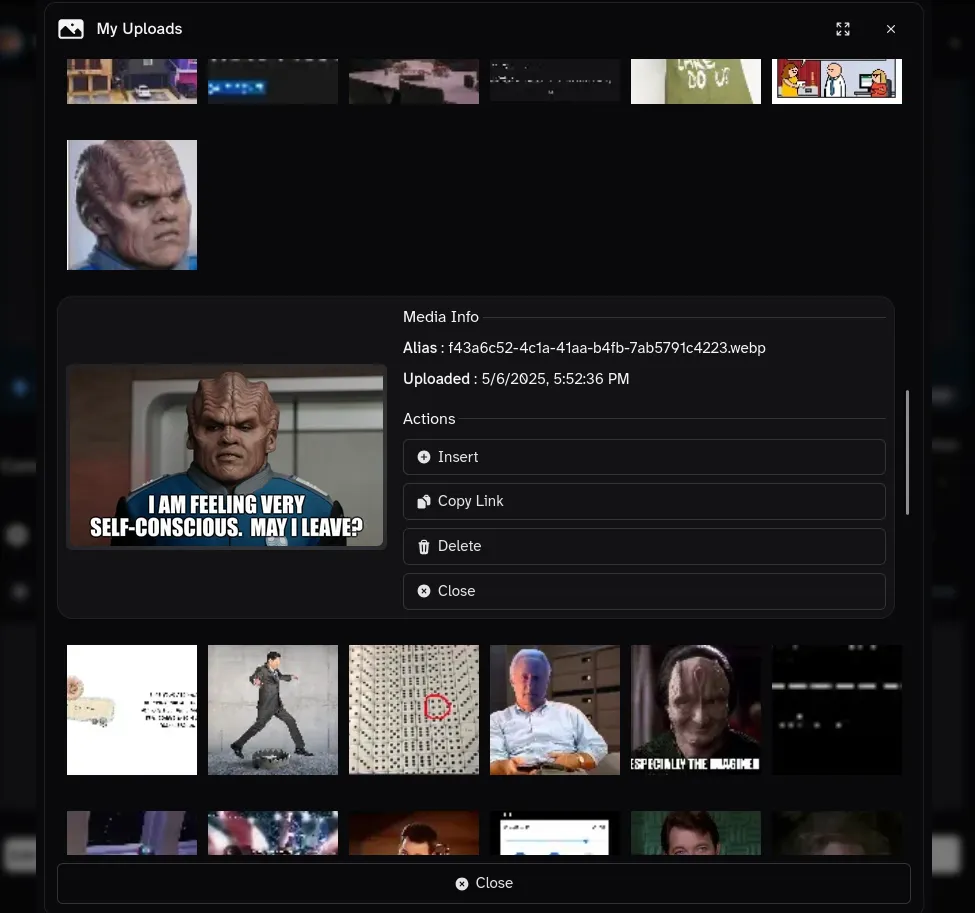
Note: The post image is relevant and will be explained further below.

New Features

LemVotes + Tesseract = A New Matchmaking Service ❤️

We've partnered with the fine folks over at lemvotes.org to create a new feature to help build lasting friendships in the Fediverse.

When you downvote something, it will poll LemVotes to see who else downvotes that same item. Over time, it will build up a list of profiles who hate the same things you hate and will show you a list of potential new best friends based on your shared dislikes.

Figure 1: A modal window showing a list of potential best friends based on shared downvote history

Now More Privacy Conscious Than Ever

Are you tired of people recognizing you? Tired of people being like "Hey, I recognize that account! They're good people, and I enjoy their posts" ? Boy am I sick of that.

Well, problem solved. In this and future releases, all accounts are ephemeral. Every time you vote, make a post, or reply with a comment, it will create a new disposable account while deleting the old one. Say goodbye to meaningful social interactions and get your troll on!

Figure 2: A test user's post history showing each post made from a unique and deleted account.

Rendering Images is Hard - Now They're All Samuel L Jackson

For a long time now, Tesseract has jumped through hoops to try to determine the best image to display from the data in the post objects (thumbnail, full-res image, embed_video_url that's actually the GIF you're trying to post, etc).

In this release, we've simplified that process greatly. All image posts are just Samuel L Jackson staring motherfuckerly at you. Not only did this change massively streamline the codebase, but it also is much more efficient due to being able to cache a single image and re-use it indefinitely.

Figure 3: A cute cat trying to help its human type on the computer.

Sending Nudes to Admins is Now Much Easier

This is actually two new features:

  1. There's a "Send Nudez" button tacked onto the bottom of the site info in the sidebar where you can upload a nude and it will send a DM to each of the instance admins.
  2. The signup application response has been replaced with an image upload button to send a nude in lieu of responding to the questionnaire.

Figure 4: A not-at-all tasteful nude of me, Admiral Patrick, illustrating the "Send Nudez" button in action.

Upgrade Instructions

Upgrading is automatic and mandatory. No action is required on your part.

2


You can turn the April Fool's Day gags off under Settings -> General -> Enable April Fool's Day Jokes

I thought it would be funny to replace all the t hs with þ but forgot to account for links. So links to, say, https://t/ hebutton.lemmy.zip are turning into broken https://xn--ebutton-22a.lemmy.zip/.

This gag was a last-minute addition that wasn't thought out fully, so my bad. Good thing this version is still an alpha 😜

3
0
submitted 3 weeks ago* (last edited 3 weeks ago) by ptz@dubvee.org to c/tesseract@dubvee.org


Post Image: Depicts the new search scoping using the inline keywords to set the search options without having to use the search form manually.

I'm slowly wrapping up the feature list (very slowly) but alpha 6 is up and live now.

Hosted Instance: https://tesseract.dubvee.org/

Still no ETA on official release as I've got lots more to wrap up and many irons in the fire, but it's stable for what's working.

Alpha 6 Changelog

Since alpha 5, I've made the following changes:

  • Change Github icon to Codeberg
  • Add missing field in admin area to set the site's content warning
  • Make the content warning a one-time acknowledge and show it before rendering any of the main UI
  • Add a "show source" / toggle markdown button on posts/comments to be able to view the raw markdown without having to go into debug tools.
  • Add some April Fool's Day fun stuff even though I likely won't have this officially released by then. At least people using the hosted instance will get a laugh.

Search Scoping

Added the ability to scope the search to "Local", "All", or "Subscribed".

Added keywords to set those inline and expand the other search keyword filters.

  • @all: Searches all (unscoped) and is the default if omitted. I'm not sure why I added this since it's not very useful.
  • @me: If the query contains @me it will scope the search to only items you've posted/commented
  • @local: If the query contains @local it will scope the search to only local items (works for users/communities as well as posts/comments)
  • @subscribed: If the query contains @subscribed it will scope the search to only items to which you are subscribed to the communities (including the communities themselves).

These can also be combined with the existing search term keywords!

Search prefixes to set the search type. You can now prefix the search query to set the search scope from the search box:

  • user: {query}: Searches only for users with the given query string
  • users: {query: Alias for user:
  • community: {query}: Searches only for communities with the given query string
  • communities: {query]: Alias for community:
  • post: {query}: Searches only for posts with the given query string
  • posts: {query}: Alias for post:
  • comment: {query}: Searches only for comments with the given query string
  • comments: {query}: Alias for comment:
  • url: {query}: Searches only for posts which have the provided URL as the post link

Examples:

  • @me @local comment: Captain Picard will only search for comments you've made to local communities containing the text "Captain Picard"
  • @local comment: Captain Picard will search for any comment containing "Captain Picard" only on local communities
  • @local users: Picard will search for any local users that have "Picard" in their username or display name
  • @subscribed posts: Picard will search only communities to which you are subscribed and return only posts containing "Picard"
  • posts: picard @subscribed @local @me will search for any posts containing "Picard" and scope it to only posts you've made to local communities to which you are subscribed.
  • @local communities: Star Trek will search for any local communities that contain "Star Trek" in their names.
  • communities: Star Trek @subscribed will search for any subscribed communities that contain "Star Trek" in their names.
  • communities: Star Trek @subscribed @local will search for any local subscribed communities that contain "Star Trek" in their names.
  • @local url: https://example.com/foo/bar.html will search only local posts with the given URL.

You can set all of these in the search form, but it's very convenient to be able to type them into the search at the top and set them all inline.

4


Changes since -alpha-4:

  • Tuned filter engine
    • Bypass "filter removed comments" when in profile (mostly for admins)
    • Improve "filter users-by-instance" handling
  • In <SettingButton component, reflow button below description text on small viewports.
  • Display content warning if configured
  • Add "Defederated" badge to user profile cards (similar to community cards) to indicate if your instance is defederated from the user's
  • Made the spoiler tag renderer prettier

Spoiler-Flaired Posts are Now Click-to-Reveal

If a post has [spoiler] (case-insensitive) in the title, only the header and footer are shown. To see the post contents, you will need to click "Reveal Spoiler" similar to "Show NSFW".

This is enabled by default, but you can turn it off at Settings -> Feed -> Click to Reveal Spoilers

The post form also now has a "Spoiler" toggle below the "NSFW" toggle. This will automatically add/remove the [Spoiler] flair to the post title.

5


Upgraded the hosted instance from alpha 1 to alpha 4.

Alpha Release Changelog

Changes since the first alpha release.

Alpha 2 (internal only)

Cleanup/refactor

Alpha 3

Added Back the CORS Media Upload Proxy

The upload proxy was removed in the early 1.4.x series as it was no longer needed for 0.19.3+ API. However, some instances are either misconfigured or have deliberately restrictive CORS policies around the /pictrs route. To work around this, I re-wrote the CORS proxy handler for image uploads.

Uploading an image will always try a direct connection first. If that fails, it will fall back to the CORS proxy automatically and transparently. If that fails, then you will see an error.

Similarly, the pictrs/image/delete API call was facing similar CORS restrictions. I added an additional CORS handler to proxy those as well. Same as with the upload handler, the delete handler will first attempt a direct call. If that fails, it will try proxying it through the Tesseract server. If that fails, then you will see an error.

Currently, this fallback behavior is "mandatory" in that I do not yet have a user-facing option to disable it. Considering for the first half of Tesseract's life (and Photon's for that matter) proxying the upload was the only way it would work, and no one had a problem with it then, I may just leave it as-is.

Alpha 4

Additional Filter Options

Filter Based Upon Community's NSFW Flag

I added an additional filter option to filter communities based upon their "NSFW" tag. This is useful for severeal reasons, but the main benefit is that you can filter NSFW communities without filtering NSFW posts in otherwise SFW communities since the "NSFW" tag is used for lots of different purposes. Optionally, you can choose to hide posts to NSFW communities entirely.

NSFW community filtering (not hiding) is also enabled by default now.

Backstory: I had company yesterday and my Lemmy session was open to my .world account from earlier. I absentmindedly refreshed /new right as someone had just done a massive porn dump. The images were blurred, but my friend laughed and was like "did I interrupt you in the middle of something?". Needless to say, that was embarrassing but could have been worse lol. I don't like disabling "NSFW" in the feed since it's used frivilously as a spoiler tag, trigger warning, a way to attempt to evade spam detection, because the post has a fucking bad word, or any other non-NSFW reason under the sun.

In conclusion, to see content posted to NSFW communities without having to click the "reveal" button each time, users must manually disable this filter at Settings -> Filters -> Communities -> Filter NSFW Communities

To Do: Add a server side environment variable option so the admin can disable this. Use case would be if a dedicated NSFW instance is using Tesseract.

Low Score Filters for Posts/Comments are No Longer Disabled if Blind Voting is Enabled

While this breaks with the spirit of the blind voting feature, sometimes things are massively downvoted for a reason (spam, trolling, etc).

Low Score Filters are Enabled by Default

In the spirit of fostering a more pleasant "default" experience, posts and comments with a score of -10 or below are automatically filtered (can still click to reveal them).

If you want to disable or modify this behavior, you will need to:

  • Open Settings -> Filters and scroll to the "Filter Low Score Posts" and "Filter Low Score Comments" sections.
  • Disable each of them if desired
  • Opt to completley hide those items
  • Modify the score threshold
6
0
submitted 4 months ago* (last edited 4 months ago) by IcedRaktajino@startrek.website to c/tesseract@dubvee.org


It's kinda cool that hash tags are turned into buttons but people tend to over use them to the point it's just obnoxious. I also don't find them very useful.

Clearly Tesseract is doing some kind of processing in order to do that, so would it be possible to add an option to just not show them?

Edit: I see there's an option to enable hashtags, but turning that off still has the text version of them. That's....slightly better but still kind of spammy. Can that be extended perhaps?

7


cross-posted from: https://lemmy.dbzer0.com/post/55547080

I’ve just found out that some Lemmy web interfaces let you sign in with multiple accounts and switch between them easily. Is there any client that can show notifications from all accounts at the same time, so I don’t need to switch back and forth?

I’ve checked out Voyager, Photon, Alexandrite, and Tesseract. They all seem quite similar to me. Which one would you recommend?

8


This release has feature-creeped quite a bit, but the end result is turning out pretty great. I also promise it's not vaporware and really does exist 😆

Hopefully, within the next 1-2 weeks I will have enough of it put back together and polished to throw out a beta release to the hosted instance for general use. Would love to get some extra eyes on the new features and suss out any bugs / UX stumbling blocks.

What's New Since Last Update?

  • The sidebar and community menu (in the top navbar) can now browse/search all communities in addition to your subscribed/grouped/favorites. You can even scope the search to local communities only -- right from the sidebar.

  • Re-implemented the form fields. Made them look all fancy-pantsy with integrated icons/buttons

  • Spruced up the login, forgot password, sign up, and instance selection pages

  • The search and community browser now take your filters into account. If you've filtered / blocked an instance, for example, nothing from that instance will show up in the search results nor will communities from there be listed if you're browsing/searching for communities.

  • "Trending Posts' widget in the right-hand sidebar. Shows the "Top Hour" posts.

    • Uses your default feed setting for local, subscribed or all
    • Takes your filters into account.
    • Anything you've downvoted will not show up in "Trending"
    • Posts in the trending list are randomized each load rather than sorting by score
    • Updates every 10 minutes

-Can filter/hide removed posts, downvoted posts, posts/comment below a set score

  • Mentions and DMs can be disabled. When disabled, they will not be fetched or shown in the inbox, and when it checks for notifications, it will silently mark them as read and not show in the notification count. You can still see them in other clients (i.e. they're only hidden in Tesseract), but they will be marked as read. I think I mentioned this before, but at the time, I did not have the notification suppression working; that's integrated now.

  • Added a button bar every ~50 posts in the feed with some helpful actions:

    • Scroll to top of feed
    • Refresh Feed
    • Truncate feed to only posts below the bar

  • Why would you want to truncate the feed periodically?

    1. To free up memory, especially if you're deep into infinite scrolling
    2. Performance: When navigating away from the feed, it takes and stores a snapshot of the current posts and loads + re-renders them when you come back. Truncating the feed reduces the amount of posts it has to re-render when it loads.
    3. Performance: Any time you update group memberships or modify the filter policy (or enable/disable filtering), every post in the feed has to react to that change and re-run the filter against itself. When you truncate the feed, the truncated posts are no longer rendered and thus do not have to react to events.
    4. A version of this behavior used to be automatic, but it would randomly glitch out in Firefox in ways I could never replicate consistently in order to properly fix it. Doing it manually, it can avert the issue by scrolling to the top. It's less jarring for it to scroll to the top when it's invoked manually versus automatically.
  • Lots more little bug fixes for existing bugs and new ones introduced during this dev cycle

  • Probably more I'm not thinking of.

9
0
submitted 6 months ago* (last edited 6 months ago) by admiralpatrick@lemmy.world to c/tesseract@dubvee.org


Notable changes:

  • Made the secondary toolbar able to be hidden (shown hidden here)
  • Moved the instance site card above the feed like it normally is on mobile
    • Moved the taglines into the card itself instead of in a separate card below it.
  • Added the site search to the top navbar
  • Added a "Trending Posts" widget to the sidebar
    • Shows the results for "Top 6 Hours" based on your user setting for your default feed (Local, All, or Subscribed)
    • Takes your filters into account: if you've filtered certain people, communities, keywords, etc, those will not show in the trending list

Search Enhancements

The search has been revamped and no longer tries to be "too much". I took out the infinite scroll, moved the search scope filters out of the secondary navbar and into the page, and greatly simplifed the logic. And it works so much better. It also has the option to search for post URLs now.

The site/community search bar at the top of the app has also been enhanced.

  • Will detect activity pub URLs, resolve them, and take you directly to the content while skipping the actual search. This lets you quickly load a user/comment/community/post from a federated link. (e.g. paste in an actor ID for a user, and it takes you straight to their profile page. Paste in a post activity pub URL, and it will take you to the local copy of that post.)

    • Also works with both Lemmyverse and Threadiverse links for users, communities, posts, and comments. Haven't added LemShare yet since it uses a different format. Also not sure how widely-used LemShare is, so may not add support.
  • Search prefixes to set the search type. You can now prefix the search query to set the search scope from the search box:

    • user: {query}: Searches only for users with the given query string
    • users: {query: Alias for user:
    • community: {query}: Searches only for communities with the given query string
    • communities: {query]: Alias for community:
    • post: {query}: Searches only for posts with the given query string
    • posts: {query}: Alias for post:
    • comment: {query}: Searches only for comments with the given query string
    • comments: {query}: Alias for comment:
    • url: {query}: Searches only for posts which have the provided URL as the post link

Example Search Queries:

  • https://example.com/post/12345 will automatically resolve and then take you directly to the local copy of that post.

  • https://example.com/u/alice Will automatically resolve Alice and then take you directly to her profile page.

  • users: bob: Will search for users that have "bob" in their username or display name.

  • community: Dogs Searches for any community that has "dogs" in its name or display name.

  • posts: New York City Searches only for posts containing New York City

  • comments: New York City Searches only for comments containing "New York City"

  • url: https://example.com/foo/bar.htm Searches for any posts that link to exactly https://example.com/foo/bar.htm

10


Just curious in case I need a backup. :)

11


This feature has been languishing in a branch for what feels like ages now, and it's finally merged in.

You can now browse and manage your uploaded media as well as select from it when adding images to posts and comments. It also has infinite scroll enabled so you can just scroll through all our media (well all media you've uploaded since Lemmy started actually tracking them in 0.19 point something.

Browsing / Managing Media

From Profile -> Media or Quick Settings -> Media, you can browse your uploads, copy the image link from them or delete them.

Using the Media Browser in Posts/Comments

The media browser has been tied into the post form as well as the markdown editor. In both editors, the "Add image" button is now a menu where you can select either "Upload an image..." or "Chose from Existing Media...".

"Upload" works the same as it has before (just the dedicated button is in the drop down menu now). You can also just paste the image into the markdown editor / image URL field as before.

If you are inserting the image, then you can also set the alt text for the image from the gallery chooser before it's added to the content. In the "create post" form, you still need to use the "alt text" field on the form itself.

Adding an Image From the Media Browser into a Comment or Post Body

Selecting a Post Image From the Media Gallery

12


While I anticipated this, it doesn't make it any less tedious.

Now that the core filtering subsystem is more or less where I want it and applied to all the main spots (still fine tuning as I go, but that's easy), I'm finding that filtering needs to be applied in a LOT more places than I originally planned.

For example, if you're filtering instance.xyz or have blocked instance.xyz, then you probably don't want communities from those instances showing up in search results or the community auto-complete search boxes or other places. Same thing for blocked/filtered users in search results, etc. Even in the modlog, you probably don't care about entries to/from instances you've filtered/blocked.

There's way more than those examples, but that's where I'm at: going though and applying the filter preferences in all the various nooks and crannies.

I've also yet to start re-implementing user-tagging. I have a bad habit of doing a lot of things at once, but I'm forcing myself this time to complete one major feature before starting another.

What's New Since the Last Check-in?

  • More bugfixes

  • Finally (properly) fixed Bug 42 where non-Fediverse links that have /u/{name}, /c/{name}, /comment/{number}, and/or /post/{number} patterns were erroneously localized. Now, before localizing, the domain is checked against the instance's federated_instances list and only localizes domains that are found there.

  • Fixed the community menu. It was broken since I re-implemented how the groups and favorites are managed earlier in this dev cycle (it's more or less a copy of the sidebar and mainly used on mobile)

  • Further polished the group management components

    • Groups can now have icons and descriptions.
    • Can select multiple groups to export/delete
    • In the sidebar and community menu, group headings are "sticky" to make it easier to know what group you're in (very useful if you have a lot of groups)
    • To do: Take the community groups I've been organizing and bundle them into the application as groups of communities users can import.
    • To do: Look into creating some kind of framework to share groups, filter policies, tag lists, etc. These can be exported to JSON and imported/merged, so might as well make them easy to share.
  • Moved the group memberships flairs to the bottom of the post and added them to the community entries when browsing communities

    • Added a special "Add to Group" badge button
    • Used to easily add communities to groups, and see what groups they're a member of, while you're browsing communities on your local or a remote instance
  • Filtering is now applied to inbox items

    • Still working on intercepting notifications so replies/mentions/PMs from filtered users don't show the notification icon
  • Can now disable mentions and private messages. If disabled, these will not fetch in the inbox and won't show notifications.

    • As with the inbox filtering, still need to intercept the notification check to squash notifications for these if you have them disabled.
    • If private messages are disabled, the "Send Direct Message" option will be hidden elsewhere in the application (i.e. you can't send a message to someone if you're not checking for replies; that's spammer behavior lol).
  • Duplicate posts in user profiles are now rolled up as crossposts like they are in the main feed.

  • Removed comments can now be (optionally) completely hidden. This can be enabled globally or on a per-community group basis.

  • Re-worked the removed comment auto-modlog-lookup to wait until the comment is in the viewport before fetching the modlog reason

    • Still automatically resolves if you have the option enabled, but the comment must be in the viewport for at least 500ms
    • This should make any instance rate limits happier.
  • Removed some memory optimization hacks and added some all new ones!

    • Post feed component no longer nulls out and destroys itself on unload
    • Post feed no longer refreshes on browser refresh. This was causing too many problems because of certain events not firing consistently on both FF and Chrome. The feed will only refresh with new posts if you refresh manually (in the app) or if the snapshot data has expired.
    • Unused properties are nulled out in various places:
      • Subscribed list no longer keeps the community description in each item
      • Moderating list no longer keeps a redundant copy of your Person entry in the moderator key of each item
      • Posts in the feed no longer keep the community description or creator bio in them.
      • Comments no longer keep the community description, creator bio, or whole post body in them. This is a big one. If there are 200 comments on a post in a community with a very long sidebar description, then there are 200 copies of that long sidebar description in memory. And if the post body text is massive, then there's also 200 copies of that.
  • The /settings page has been deprecated and will be removed.

    • The "Quick Settings" modal now has all settings available and is accessible from anywhere without taking you away
    • The default/main filter policy is managed from there as well
    • Community Groups and User Tags are also manged from the settings modal
    • Tentatively planning to move the instance administration panel there as well

Probably more (I wrote these from memory rather than checking the commit logs), but those are the highlights.

Piefed Support

I've had more than a few inquiries about if/when Piefed support is going to happen. I don't have an answer beyond "It's on the roadmap but still over the horizon". That said, it definitely won't be in this release and when I do get around to it, it will be the sole focus of that version.

13
0
submitted 7 months ago* (last edited 7 months ago) by admiralpatrick@lemmy.world to c/tesseract@dubvee.org


After two weeks of re-writing the filtering engine 3 times, I'm finally back to where I started. Yay!

Well, a little better than where I started. The more filters I added, the more complex and ugly the code to make them work became. After two re-writes, I'm finally happy with the 3rd iteration. It's pretty modular and will allow me to easily add and tune additional filters later.

Other than that, what's new since the last update?

  1. Can now filter (or hide entirely) posts and comments if they are below a set score. This can be done either globally or a per-community group basis.
  2. I ripped out the user tagging feature and am going to re-write it closer to how the community groups are done. The main reason is the original code was just a test/proof-of-concept. Additionally, once I do this, it would also allow creating filter policies that apply to user tags the same way they apply to community groups.
  3. Instead of only showing the first policy hit, all policies are evaluated, and each reason is shown. I wanted to avoid this, but since different policies/options can have different effects (hide vs filter), it was possible to "short-circuit" a more strict filter if it hits a less strict one first. Additionally, it is nice to see all the reasons a post was filtered rather than just the first hit.
  4. Editing the filter preferences is MUCH less of a fustercluck now. The global policy and the policies attached to community groups are now standardized, and there is now a standardized policy edit component (seen in post image). Not only is it more organized, it's much more modular and allows editing filters from the quick settings menu.
  5. The policy name in the stub/placeholder (e.g. [Default Policy]) is clickable and will bring up a modal to edit that policy.
  6. The global filters that apply to everything are now called "Default Policy". Currently, the names of the community groups that have filtering enabled are also the policy names. User tagging will likely be similar once I get that re-implemented.
  7. I'm adding user exceptions to the policies (work in progress). That should allow you to exempt specific users (or user regex patterns) from the policy (global or community-group based) while filtering or hiding everything else that the policy flags.
  8. I removed the "Help Farmer" filter option. I don't want to have to maintain a list of "ask" communities, and you can achieve the same effect by putting those communities into a group yourself, enabling filtering for it, and setting a minimum account age to filter.

As you can see, the biggest areas of work in this version are to the filtering options.

Wish I had more to report, but re-writing the whole filtering engine was a huge grind, and I had to take several days off to avoid burning out completely. Now that that's over with, I'm hoping the development pace picks back up on the remaining 45 items on my "to do" list for this release.

Screenshots

Please do not take anything personally if you show up in the screenshots of my filtering preferences. These were either chosen at random because they were at the top of the feed at the time of testing or were chosen because they have both Lemmy and Piefed versions/alts and were used to test wildcard and regex based filtering.

Filtered Post Placeholders

  • The option to filter low score posts is enabled with a threshold score of -5.

  • Ozma is filtered in my "News and Politics" group as well as anything with the keyword 'trump'
  • I filter communities from feddit.org since I don't speak German.
  • I don't want to see slop from Mastodon in my feed

Misc Filtering Options for the Policy

Filter Users Directly or by Regex Pattern

Filter Communities Directly, By Regex, or by Instance

Filter Specific Keywords

Filter by Instance/Platform

Filter by Post's URL Domain

Exempt Specific Users or User Regex Patterns from the Policy

Note: This is still work-in-progress

14


Just checking in since this is turning out to be a big update, especially for a single point release. These are the changes implemented thus far. I thought I was ready for a feature freeze, but as I've implemented these, some things have become redundant so I've had to double back and find a way to combine them (e.g. merging community tagging and community groups into one feature).

Highlights:

The filtering system has been further expanded to include URL domains and entire instances. Community groups have been overhauled and can now have filter policies applied to their member communities. User tagging has been implemented, and those tags can be used in filter policies as well. You no longer need to be logged in to utilize community groups, favorites, or user tagging. This means you can completely curate your experience without even having to log in!

General

  • Lots of bugfixes
  • Re-implemented the auth and profile library and initial login flow
  • Small UI tweaks and refinements
  • [Planned, not implemented yet] Suppress notifications for filtered items
  • [Planned, not implemented yet] Allow muting replies for posts and comments
  • [Planned, not implemented yet] Revamp settings page

Filtering is much more granular

  • You can optionally completely hide posts and comments that match any of your filters (instead of showing the placeholder)
  • Users of blocked instances can be completely hidden (posts and comments) if you wish.
  • Can now filter posts by URL domains (e.g. if you don't want to see any posts linking to example.com, add that to your filter)
    • Can define wildcard domains (*.example.com) such that anything.example.com will match the filter
    • Built-in toggles for Bluesky, Facebook, Reddit, and Twitter/X so you don't have to manually enter each of their multiple domains

Limited (but growing) Built-in Spam Detection (and filtering)

  • Detected spam posts and comments are hidden and can be revealed
  • Domains that are commonly spammed by bona-fide spam accounts will trigger the filter
  • Brand new accounts linking to blogspot [dot] com will be hidden and flagged as blogspam. This can be applied for other domains, too, but blogspot is the one that's typically spammed. Blogspot links will not always be flagged, just if they're posted from brand new accounts.
  • You can optionally filter out "help farmer" posts. Help farmers are those accounts that spin up a disposable alt, throw out their question in one of the various "ask" or support communities, and then delete the post and account shortly thereafter and taking any answers and discussions with them. I HATE those people. The only way to really deal with it is to stop interacting. So now you can filter those posts and optionally completely hide them.

Community Groups Got a Big Upgrade

  • Community groups now (also) act like Community Tagging. Any groups a community is a member of will be shown as flairs (it's on by default but you can turn it off).
  • The group list in the sidebar/navbar is now searchable.
  • Community groups can be turned into filter groups (see more below).
  • The community details are no longer stored which reduces localStorage usage
  • The community groups have been moved out of the profile and are now system-level.
    • Sadly, this means that you can no longer have separate groups for each profile. I thought about making the new groups profile-specific, but decided against it.
  • Groups are now able to be used without being logged in
  • I'm debating on including a default set of community groups if there are no user-defined ones. Haven't decided yet
  • Groups can now be exported/imported separately (and merged). This allows you to share your groups with others.

Community Groups Can Be Used as Filter Groups

  • Turn any community group into a filter group (or vice-versa)
  • Filter groups can be listed and searched separately in the sidebar
  • Filtering rules can be defined (and combined) that apply only to communities that are a member of that group:
    • Filter all posts to any of those communities.
    • Filter users with certain tags in those communities
    • Filter specific keywords only in those communities
    • Filter users of specific instances only in those communities
    • Filter URL domains only in those communities
    • Filter (collapse) or completely hide any items which trigger the filter

Community Filter Group Examples

There's someone who posts good stuff in some communities but they make cringe-worthy memes you don't want to see. Also, you don't want to see any memes linked/crossposted from lemmy.ml.

Solution:

  1. Add your meme communities to a group. We'll call it "Memes". Enable the filter group option.
  2. Tag anyone who makes terrible memes with the "Y Ur Memes No Good Tag" (or a tag of your choosing)
  3. Add the tag "Y Ur Memes No Good" to the filter list in the "Memes" community group.
  4. Add lemmy.ml to the domain filter list in the "Memes" group.
  5. Add lemmy.ml to the instance filter list in the "Memes" group if you also don 't want to see any memes posted by a user there.
  6. Optionally completely hide those submissions
  7. Enjoy less terrible memes in your feed while still seeing content from those users elsewhere.

You like to stay up to date with current events, but certain topics or people constantly overwhelm the community

Solution:

  1. Add your news and/or politics communities to a group and enable the switch to use it as a filter group.
  2. Add any keywords for overexposed topics or people to the "Keywords" filter list
  3. Recommended: Do not completely hide the keyword matches and let them remain as the placeholder / stub posts which will let you tune your keywords.
  4. Once your keywords are tuned sufficiently, optionally completely hide the matches.

Screenshots:

Group Editor:

Filtered "Help Farmer" Post:

Community Group Tagging:

Community Group Filtering:

15


Just pushed up what I have completed for 1.4.41. This will be the final release of Tesseract, and it will be archived and unmaintained after this.

I'm done with Lemmy, the Fediverse, and want nothing more to do with either. My instance will be shutting down at the end of the month along with the hosted Tesseract instance and the Matrix rooms.

If you want the full details, they're here.

Bugfixes

  • Bug 56: Inserting uploaded image submits post
  • Bug 55: Button stays disabled after failing to add an admin
  • Modlog: Action type did not differentiate adding/removing mods versus adding/removing admins.
  • Modlog: Made modlog action option names more descriptive
16
0
1.4.40 Released (dubvee.org)
submitted 9 months ago* (last edited 9 months ago) by ptz@dubvee.org to c/tesseract@dubvee.org


Not really a lot new in this release, mostly just some bugfixes and polish.The only new "feature" is that it now indicates to the user if the instance is operating in "private" mode. Other than that, it's just some fine-tuning. Apologies for the delay in getting such a small release pushed out, but life has been hectic (to say the least) for the last few weeks and time hasn't been something I've had a surplus of lately.

Bugfixes

  • Don't add comment text to conversation line button tooltip if comment is hidden.
  • Check if comment_view.comment.content is undefined before setting the text to it. Only shows up in console log as an error, so it's non-breaking but still annoying
  • Remove gap in post heading button bar where the "Moderation" button would be if the user is not a mod
  • Fixed "Hide Deleted Posts" filter. It's a holdover from the 0.18.x days and recently, you can only see your own deleted posts. The filter was hitting the safety check to not hide your own content before this rule fired, so there's now an exception above the "post is from self" check.
  • Inspect alt text for keywords in post filtering
  • Fix feed not returning to correct post when return back from clicking into it (if open in modal/new tab is not enabled)
  • Community icon in post view modal no longer scrunches with long post titles
  • Post view modal was not wrapping the community icon with the proxy URL

Changes

  • When collapsing a comment thread, if the top portion of the thread that's being collapsed is outside the viewport, scroll it into view. If that part of the thread is already in the viwport, don't scroll and leave it where it is.
  • Add time to expiry date when showing temp bans in modlog
  • Reduce padding in modal contents on smaller viewport screens

Private Instance Support

If "Private Instance" is enabled, all API-based routes will only show a banner informing the user that the instance is private. This has links to both login and signup pages.

Filtering

  • Refactored post keyword filtering to be a bit more efficient
  • Add ability to filter NSFW posts (works in addition to NSFW blur)
  • Add ability to filter posts from bot accounts (without blocking them entirely)
    • This is mutually exclusive with the "Collapse Bot Comments" filter option. Technically they can both work at the same time, but it's a lot of redundant clicking to reveal the content or even see who it is, so the settings are configured so one being enabled will disable the other.

Tags

  • ghcr.io/asimons04/tesseract:v1.4.40
  • ghcr.io/asimons04/tesseract:latest
17


I don't know exactly what cadence you'd call this, but all the point releases that are divisible by 10 are basically "cleanup releases".

I usually try not to introduce anything new in these and rather focus on debugging, refactoring, and streamlining all the changes for the previous 9 releases.

So, don't expect anything groundbreaking from the next version.

That said, I am asking for feedback on things; what can be improved (without adding anything new), what's buggy, etc.

So far in 1.4.40, I've done the following. In addition to these, are there any particular areas that could be improved?

Bugfixes:

  • Don't add comment text to conversation line button tooltip if comment is hidden.
  • Check if comment_view.comment.content is undefined before setting the comment text value to it. Only shows up in console log as an error, so it's non-breaking but still annoying
  • Conditionally apply "ml-auto" class to top button row in PostMeta to remove the gap in the button row when in full-width desktop view and user is not a mod.
  • Fixed "Hide Deleted Posts" filter. It's a holdover from the 0.18.x days and recently, you can only see your own deleted posts. The filter was hitting the safety check to not hide your own content before this rule fired, so there's now an exception above the "post is from self" check.

Filtering:

  • Add ability to filter NSFW posts (works in addition to NSFW blur)
  • Add ability to filter posts from bot accounts (without blocking them entirely)

Enhancements:

  • When collapsing a comment thread via the conversation line, if the topmost comment in the thread is outside the viewport, scroll it into view.
18


I guess it also depends on how many days you've configured an account to be considered "new".

Reason being, with lemm.ee shutting down at the end of this month, a lot of accounts are moving to other instances, so you'll probably be inadvertently filtering far more people than you intend.

When things are stable, it's a nice filter option to hide the whack-a-mole trolls who keep popping up, but when a major instance closes shop and/or there's some kind of mass-migration in progress, it can be detrimental.

19


Highlights in 1.4.39

  • Enhanced the content filtering options
  • Revamped the comment section display
  • Tweaked some mod tool behavior
  • Spruced up the modlog
  • Quite a few bugfixes

Changelog

Bugfixes

  • Fix bug where expanding/collapsing the post image would trigger unwanted reactivity causing the comment section to refresh.
  • Comments now respond to the "lockPost" event in order to disable/enable the reply button appropriately.
  • If an inbox item is expanded, switching accounts or refreshing the list as a new item arrives would keep the text from the previous comment while updating the heading info correctly. Caused the wrong comment/reply to be displayed.
  • Same as above but for moderation reports
  • Don't invalidate/refresh Reports page when resolving a report (not needed).
  • When removing a post/comment, if you enabled the option to send a reply message and left it blank, it would throw a toast message informing you as such but not reset the "loading" variable and kept the "submit" button disabled.
  • When distinghishing a mod comment, only push top-level comments to the top of the tree. e.g. if you need to distinguish a comment that is a reply to another comment, that would previously push a copy of that distinguished reply up as a top-level comment.
  • Fixed unhandled error when an admin enters the community settings when there are no moderators.
  • Fixed "Local Community" toggle not reflecting API state after reload.
  • Fix truncation in post headings to account for community display names where the community creator thinks "Display Name" and "Community Long Description" are the same picture :sigh:
    • Note: Backported to 1.4.38
  • Svelte was URI-encoding ampersands when rendering links
  • The absolute time displayed in the tooltip of the RelativeTime component was not updating correctly when re-rendering due to a reacctive event.
  • If you linked an image in markdown, the image would render but without the link. Now, the link will be below the image.
    • e.g. [![This is a linked image](https://foo.com/image.jpg)](https://example.com/article/page.htm)
    • The cause is that zoomable image takes precedence over the hyperlink.
    • Known "bug": Badges (e.g. img.shields.io are still kind of ugly and don't really fit the model. Working on some exceptions for things like those, but that didn't make it into this release.

Content Filtering Revamp

The filtering subsystem has been refactored and enhanced. Prior to this release, anything that was filtered was simply discarded before being rendered.

Now, filtered objects will show a placeholder that indicates which filter was triggered (or which keywords triggered the filter). Clicking the "eye" button on the placeholder will show the hidden content.

This is the case for both posts and comments that are hidden by your filter preferences.

Notes on Filtering

There are a few safety checks in place that will disable the filters under certain conditions. The first two are to prevent moderation blind spots, and the rest are just sanity checks/compromises to keep from over-complicating things.

  1. If you are a moderator, the filters will not apply to content posted to any community you moderate. This includes viewing reports.
  2. If you are an instance admin, the filters will not apply to content posted to any local communities.
  3. The filters will not apply when viewing your own content anywhere in the app.
  4. Filters are not applied when viewing someone's profile.
  5. If you have a community filtered, going to its /c/ page or browsing it in a modal will show the community's content, though any other filters are still applied (keywords, user filters, etc). Reason being, you went to the commmunity, so the content shouldn't be filtered out by default.

Finally, filters are global and apply to all accounts in use in the app. You cannot have different filters on one account than on another. I may change my mind at some point, but it made much more sense to have one set than one set per profile. It also eliminates the need to have extra management tools to copy them or sync them between profiles and other things like that.

Keyword Filters Now Apply to Comments

Keyword filters now apply to comments! I had always meant to apply them there, but until the work done to the comment section in this release, I didn't have a way to apply them that wouldn't nuke the rest of the thread. Now, just the offending comments will be hidden with the rest of the chain remaining intact.

Filtered comments will hide the score and creator as well. Unless manually revealed, the "creator" will be Tesseract@your-instance.xyz with the Tesseract logo as the avatar. Revealing the comment will replace that with the actual creator. This is to both further hide/mask content you don't want to see as well as keep the formatting/rendering consistent.

User Filtering (Soft Blocking)

You can now filter users rather than blocking them. This is especially helpful for those who moderate large communities. Think of filtering out a user like a "soft block".

Why would you want to filter a user rather than block them?

Lemmy's blocking has a couple of glaring issues:

  1. Content from blocked accounts does not show up in communities you moderate. This leaves a huge blind spot when you don't want to see content from certain users but it is not warranted to ban them from your communities.

  2. When you block a user, not only are their comments not visible in the comment section, you will not see any replies to them, either. Depending on who you block, this could cause you to miss out on quite a bit of discussion.

If you filter those users instead, both of those are addressed:

  1. Filters are automatically disabled on communities you moderate, so you will still see content from the filtered users there but you won't anywhere else.

  2. Only the filtered user's comment will be masked; all the replies will be visible.

Community Filtering (Soft Blocking)Similar to users, you can also filter/soft block communities.

Why would you want to do this instead of block the community?

Think of it like a soft unsubscribe. Need a break from a community but don't want to unsubscribe completely? Filter it! You'll see a placeholder stub in the feed for it, and you can reveal if you want to. Otherwise, it's out of sight, out of mind. When you're ready to get back into the community, just un-filter it.

How-to Use User/Community FilteringTo filter (or un-filter) a user, click their username to bring up the User Profile Modal. From there, use the "Filter User..." (or Un-Filter User...) button in the modal. When a user is filtered, all of their content in the current area will collapse to a placeholder (or un-collapse if you're un-filtering them).

Communities work the same way except from the community profile modals.

You can also manage the filtered users directly from Settings->Filters->User Filters. Be aware that is pretty low-level, and you're basically editing a list of actor IDs. It's best to only use that to remove items, though you can add them there as well. It will also accept a comma-delimited list of actor IDs, so you can add them in bulk:

e.g.

https://instance.xyz/u/jerk1, https://instance.xyz/u/jerk2, https://other-instance.abc/u/AnotherJerk

Again, the users you enter directly must be in the actor ID format as that is what's compared when running the filters. An incorrectly formatted entry will not break anything, but it won't work, either.

Comment Section Revamp

  • Added color-coded conversation lines to comment threads.

    • The conversaton lines are clickable buttons and can be used to collapse/expand threads.
    • The user avatars in the comment header have ring borders corresponding to the thread color
    • Avatars are now de-coupled from the user links; clicking them will expand/collapse the thread
    • Are color-coded by default but can change to monochrome if you prefer.
    • Setting is in Settings -> Posts and Comments -> Color Coded Conversation Lines
  • Tweaked comment renderers / layout

    • Removed "card" effect
    • Distinguished comments now render fancier.
  • Comment text height can be limited to 120px and be expanded/collapsed (similar to post bodies in the feed).

    • Disabled by default
    • Can enable via Settings -> Posts and Comments -> Limit Comment Height

Tweaks to Moderation Options

  • When removing a post/comment and opting to reply with a reason via comment, automatically distinguish the comment.
  • In the Community Profile Modal -> Ban/Unban User panel, you can now search for a user as well as enter the actor ID, @user@instance.xyz, or https://lemmyverse.link/u/user@instance.xyz format.
  • Added a quick shortcut to "Moderator View" in the sidebar. Will not show unless the current account is moderating at least one community (e.g. if you're an admin that isn't explicitly a moderator of any community, it will be hidden).
  • Added a button on reports that will copy the report text to the clipboard if you want to use it in the removal reason.

Tweaks to User and Community Profile Modals

  • Added button to view user's modlog history in the full modlog (without having to open the embededded, mini-modlog first.
  • Both can be middle-clicked to open the full modlog in a new tab on desktop
  • Added "View in Full Modlog" button to User Profile Modal -> User Modlog panel (Thought I already had this, but it was in the moderation modal)
  • Added button to filter (or un-filter) users or communities.

Tweaks to the Inline Comment Removal Reasons

  • Clicking the "hand" icon will now load the modlog details for the comment even if you have the setting disabled. If the setting is enabled, then it will take you to the full modlog for the entry.
  • Moved comment removal reason box above the comment text.

Enhancements to the Modlog

Gave the modlog a slight visual and functional refresh

  • Can now +/- quick filter by action type
  • More consistent and uniform layout
  • Removed redundant components
  • Moved filter options out of sub-navbar and into page proper
  • Cleaner mobile/desktop reflow
  • Can switch between relative timestamps (1 hr ago) and absolute timestamps for modlog events

Additionally, it can now lookup the moderatee on "remove post" action types. The API very stupidly doesn't include the person details on the "Remove Post" (or lock post) events, so Tesseract can optionally/automatically perform a lookup based on the post's creator ID if you have that option toggled on.

Note that an API-lookup is a "last resort". In the modlog loader, it will attempt to resolve the creator_id by looking at other entries in the batch of modlog entries it retrieves. If it finds a person object matching that id, it will add it transparently and not trigger an API-lookup. The API lookups are also cached for 5 minutes (too short, and they're not useful, too long, and ban indicators may not show when they should). Attempting to resolve those in the loader, synchronously, caused too much delay in loading the page, so they fill in dynamically/asynchronously after the modlog renders.

Get Tesseract

20


Getting closer!

Differences since Beta 1: The updated filtering capabilities have been merged in. I hadn't originally planned to spruce up the filtering in this release, but it was born out of necessity. That said, I'm quite happy with the refinements that have been made.

As before, I need the extra eyes on this to suss out any last minute bugs. Hopefully no more features creep into this release. This one was an exception as I just...needed it.

If you find any bugs, please let me know: Reply/post here, Github issue, report it in the Matrix rooms, wrap a note around a brick, you know the drill.

Change Notes for Filtering System

Filtering Revamp

The filtering subsystem has been refactored and enhanced. Prior to this release, anything that was filtered was simply discarded before being rendered.

Now, filtered objects will show a placeholder that indicates which filter was triggered (or which keywords triggered the filter). Clicking the "eye" button on the placeholder will show the hidden content.

This is the case for both posts and comments that are hidden by your filter preferences.

Notes on Filtering

There are a few safety checks in place that will disable the filters under certain conditions. The first two are to prevent moderation blind spots, and the rest are just sanity checks/compromises to keep from over-complicating things.

  1. If you are a moderator, the filters will not apply to content posted to any community you moderate. This includes viewing reports.
  2. If you are an instance admin, the filters will not apply to content posted to any local communities.
  3. The filters will not apply when viewing your own content anywhere in the app.
  4. Filters are not applied when viewing someone's profile.
  5. If you have a community filtered, going to its /c/ page or browsing it in a modal will show the community's content, though any other filters are still applied (keywords, user filters, etc). Reason being, you went to the commmunity, so the content shouldn't be filtered out by default.

Finally, filters are global and apply to all accounts in use in the app. You cannot have different filters on one account than on another. I may change my mind at some point, but it made much more sense to have one set than one set per profile. It also eliminates the need to have extra management tools to copy them or sync them between profiles and other things like that.

Keyword Filters Now Apply to Comments

Keyword filters now apply to comments! I had always meant to apply them there, but until the work done to the comment section in this release, I didn't have a way to apply them that wouldn't nuke the rest of the thread. Now, just the offending comments will be hidden with the rest of the chain remaining intact.

Filtered comments will hide the score and creator as well. Unless manually revealed, the "creator" will be Tesseract@your-instance.xyz with the Tesseract logo as the avatar. Revealing the comment will replace that with the actual creator. This is to both further hide/mask content you don't want to see as well as keep the formatting/rendering consistent.

Additional Filtering Options

There are a few new filters available as of this release:

Hide Content from Blank Profiles

A "blank profile" is one that lacks both a bio and an avatar. Why? Sometimes you might want to filter out "faceless opinions" for a while and/or only deal with the people who are more likely to be here for the community rather than anonymous opinion shouting.

Filter Users (Soft Blocking)

You can now filter users rather than blocking them. This is especially helpful for those who moderate large communities. Think of filtering out a user like a "soft block".

Why would you want to filter a user rather than block them?

Lemmy's blocking has a couple of glaring issues:

  1. Content from blocked accounts does not show up in communities you moderate. This leaves a huge blind spot when you don't want to see content from certain users but it is not warranted to ban them from your communities.

  2. When you block a user, not only are their comments not visible in the comment section, you will not see any replies to them, either. Depending on who you block, this could cause you to miss out on quite a bit of discussion.

If you filter those users instead, both of those are addressed:

  1. Filters are automatically disabled on communities you moderate, so you will still see content from the filtered users there but you won't anywhere else.

  2. Only the filtered user's comment will be masked; all the replies will be visible.

How to Use:

To filter (or un-filter) a user, click their username to bring up the User Profile Modal. From there, use the "Filter User..." (or Un-Filter User...) button in the modal. When a user is filtered, all of their content in the current area will collapse to a placeholder (or un-collapse if you're un-filtering them).

You can also manage the filtered users direclty from Settings->Filters->User Filters. Be aware that is pretty low-level, and you're basically editing a list of actor IDs. It's best to only use that to remove items, though you can add them there as well. It will also accept a comma-delimited list of actor IDs, so you can add them in bulk:

e.g.

https://instance.xyz/u/jerk1, https://instance.xyz/u/jerk2, https://other-instance.abc/u/AnotherJerk

Again, the users you enter directly must be in the actor ID format as that is what's compared when running the filters. An incorrectly formatted entry will not break anything, but it won't work, either.

Filter Communities (Soft Block Communities)

Similar to users, you can also filter/soft block communities.

Why would you want to do this instead of block the community?

Think of it like a soft unsubscribe. Need a break from a community but don't want to unsubscribe completely? Filter it! You'll see a placeholder stub in the feed for it, and you can reveal if you want to. Otherwise, it's out of sight, out of mind. When you're ready to get back into the community, just un-filter it.

The process is the same as with filtering a user, except it's accessed from the Community modal (click any community link in the app).

21


This release isn't quite ready yet, but mostly because I'm still tweaking small things here and there. The hosted instance (https://tesseract.dubvee.org/) has been updated to this beta to get some more eyes on things. If you hit any bugs, please let me know in whatever manner is easiest for you.

Highlights

  • Comment section has gotten an overhaul
  • Spruced up the modlog
  • Bugfixes and small UI tweaks

Change Log for 1.4.39

Bugfixes

Reactivity

  • Fix bug where expanding/collapsing the post image would trigger unwanted reactivity causing the comment section to refresh.

  • Comments now respond to the "lockPost" event in order to disable/enable the reply button appropriately.

  • If an inbox item is expanded, switching accounts or refreshing the list as a new item arrives would keep the text from the previous comment while updating the heading info correctly. Caused the wrong comment/reply to be displayed.

Moderation

  • Don't invalidate/refresh Reports page when resolving a report (not needed).

  • When removing a post/comment, if you enabled the option to send a reply message and left it blank, it would throw a toast message informing you as such but not reset the "loading" variable and kept the "submit" button disabled.

  • When distinghishing a mod comment, only push top-level comments to the top of the tree. e.g. if you need to distinguish a comment that is a reply to another comment, that would previously push a copy of that distinguished reply up as a top-level comment.

Community Settings Section

  • Fixed unhandled error when an admin enters the community settings when there are no moderators.

  • Fixed "Local Community" toggle not reflecting API state after reload.

Misc

  • [Display] Fix truncation in post headings to account for community display names where the community creator thinks "Display Name" and "Community Long Description" are the same picture :sigh:

    • Note: Backported to 1.4.38
  • [Annoyance] Svelte was URI-encoding ampersands when rendering links

  • [Time Display] The absolute time displayed in the tooltip of the RelativeTime component was not updating correctly when re-rendering due to a reacctive event.

Changes

Comments

  • Added color-coded conversation lines to comment threads.

    • The conversaton lines are clickable buttons and can be used to collapse/expand threads.
    • The user avatars in the comment header have ring borders corresponding to the thread color
    • Avatars are now de-coupled from the user links; clicking them will expand/collapse the thread
    • Are color-coded by default but can change to monochrome if you prefer.
    • Setting is in Settings -> Posts and Comments -> Color Coded Conversation Lines
  • Tweaked comment renderers / layout

    • Removed "card" effect
    • Distinguished comments now render fancier.
  • Comment text height can be limited to 120px and be expanded/collapsed (similar to post bodies in the feed).

    • Disabled by default
    • Can enable via Settings -> Posts and Comments -> Limit Comment Height

Moderation

  • When removing a post/comment and opting to reply with a reason via comment, automatically distinguish the comment.

  • In the Community Profile Modal -> Ban/Unban User panel, you can now search for a user as well as enter the actor ID, @user@instance.xyz, or https://lemmyverse.link/u/user@instance.xyz format.

  • Added a quick shortcut to "Moderator View" in the sidebar. Will not show unless the current account is moderating at least one community (e.g. if you're an admin that isn't explicitly a moderator of any community, it will be hidden).

  • Added a button on reports that will copy the report text to the clipboard if you want to use it in the removal reason.

User and Community Profile Modals

  • Added button to view user's modlog history in the full modlog (without having to open the embededded, mini-modlog first.

  • Both can be middle-clicked to open the full modlog in a new tab on desktop

  • Added "View in Full Modlog" button to User Profile Modal -> User Modlog panel (Thought I already had this, but it was in the moderation modal)

Inline Comment Removal Reasons

  • Clicking the "hand" icon will now load the modlog details for the comment even if you have the setting disabled. If the setting is enabled, then it will take you to the full modlog for the entry.

  • Move comment removal reason box above the comment text.

Enhancements to Modlog

Gave the modlog a slight visual and functional refresh

  • Can now +/- quick filter by action type
  • More consistent and uniform layout
  • Removed redundant components
  • Moved filter options out of sub-navbar and into page proper
  • Cleaner mobile/desktop reflow
  • Can switch between relative timestamps (1 hr ago) and absolute timestamps for modlog events

Additionally, it can now lookup the moderatee on "remove post" action types. The API very stupidly doesn't include the person details on the "Remove Post" (or lock post) events, so Tesseract can optionally/automatically perform a lookup based on the post's creator ID if you have that option toggled on.

Note that an API-lookup is a "last resort". In the modlog loader, it will attempt to resolve the creator_id by looking at other entries in the batch of modlog entries it retrieves. If it finds a person object matching that id, it will add it transparently and not trigger an API-lookup. The API lookups are also cached for 5 minutes (too short, and they're not useful, too long, and ban indicators may not show when they should). Attempting to resolve those in the loader, synchronously, caused too much delay in loading the page, so they fill in dynamically/asynchronously after the modlog renders.

22


I was asking for tips about working with markdown tables, and this was recommended

https://thisdavej.com/copy-table-in-excel-and-paste-as-a-markdown-table/

It says it does it all in javascript, so is that possibly something you can add to Tesseract? I don't know what technical challenges that would involve -- just seeing if it's possible and/or if it's something you might think about adding.

23
0
submitted 11 months ago* (last edited 11 months ago) by reddwarf@feddit.nl to c/tesseract@dubvee.org


Lately I have had the need to clear browser cookies. What I noticed is that not only will I be logged out of my account (logical) but the settings I had set in Tesseract are also reset to their default state. Logging into the server where I have my account does not give me my settings back unfortunately.

Is there a way to save all my settings? And if there is no option to do so, can we have that in Tesseract?
Ideally it would be on my own storage location. I host Tesseract on my docker server and if the settings can be saved there automatically then that would be great.

24
0
submitted 11 months ago* (last edited 11 months ago) by ptz@dubvee.org to c/tesseract@dubvee.org


The VPS hosting provider is having issues in their NY datacenter, and the VM for the hosted Tesseract instance is currently unavailable (as well as another VM I have in the same DC).

Currently do not have an ETA.

25


This release brings bugfixes, a user-requested feature, enhancements to reactivity when performing mod actions, various UI polish, additions to status indicators, and a special little something-something for mods and admins to make their lives MUCH easier.

Bugfixes

  • Now that most instances are on 0.19.4 and above which natively support alt text, remove the post title as a fallback alt text.

  • Check if the first 150 characters of a post body contains an image since the lazy loading was sometimes preventing the "does the post body scroll" check from returning true. This caused the "expand" button to not appear unless you toggled the post to compact/card and back.

  • Un-distinguishing a comment did not reactivly change the background back from green.

  • Bug 47: Selected sort state was not preserved after navigating away from /c/{community} As a result of this bugfix, community URLs can now specify the desired sort method (e.g. /c/community@instance/{sort} --> /c/tesseract@dubvee.org/TopMonth). If no sort paramater is supplied (e.g. /c/tesseract@dubvee.org), it will use your default sort type.

  • Disable create post button if community is local and current profile is not local to that instance.

  • The post body would not reactivly update if the body content was cleared out (e.g. responding to purge post event or if you edited the post body and removed the text). The content was correctly saved, but it only re-rendered on refresh. Now accounts for empty or undefined values in post body when triggering a re-render.

  • Fixed several glitches with the Crosspost list:

    • Opening it no longer triggers unwanted reactivity which caused certain elements to re-render. Most notable was expanding the list would cause the comment tree to reload (still no idea why) and/or cause the page to re-jump to the specific comment if you originally linked to it.
    • Performing mod actions from the crosspost list now correctly updates the xpost count and will clear the xpost component if all crossposts have been removed.
  • Re-added a hack to partially patch a memory-leak. I had removed this previously to resolve another issue, but I think that no longer applies after other changes. Svelte(/kit) swears there's no memory leak, but there definitely is. Not sure if this is fixed in Svelte 5, but we'll see when I get around to porting it. Ugh.

Changes

  • Per user request, add alt text-as-caption for image posts (similar to markdown images). Controlled by the same "Show alt text as caption" user setting. Only shows in "card" view since there's no room in compact view, and it would be confusing to mix it in with the body text.

  • Finally added the option to set community visibility when creating or editing a community.

  • Add missing indicators to Community Card

    • Posting Restricted to Mods (Yellow 'Mods only' Badge)
    • Local Only (Orange "Local" Badge)
  • UserLink component now responsive to ban user events. When banning a user from areas not attached to a post/comment (e.g from search or modlog), the banned indicator will change to reflect the state rather than relying on the post/comment handlers.

  • When purging a post with the post opened (e.g. when the comment section is loaded), the comments will update to show "Purged" as well since the API also removes the comments from purged posts.

  • Disable scroll to top of post when expanding post body in card view (still does for compact since the fixed height allows the whole post to be visible.

  • Flairs are now scoped to the community if you are in a community feed (vs main feed). If you click a post flair, it will search for other posts with that in the title. Now, if you are browsing inside a community, the search will scope itself to the community you're in when you click on a flair tag.

  • Made the inline removal reasons for comments prettier.

    • Now shows when the mod action was taken
    • For admins and mods, will show the moderator who performed the action
    • The "hand raised" icon is a button which links to the modlog for that item.
  • Add indicator badge row to comments; move deleted/removed indicators to this row. The 'removed', 'baned site', and 'banned community' badges are clickable button links to relevant modlog entries.

    • Deleted by Creator
    • Removed by Mod
    • Banned from Site
    • Banned from Community

New Features

Local Communities

Can now set the community visibility to "local" when creating or editing a community.

ModQueue v0.1

Select Multiple Comments and Perform a Single Mod Action for them All

Added a nice little something-something for the mods this release. It's the initial version of a new set of mod tools which I plan to expand upon.

Ever have to break up a slapfight or nuke an entire comment thread that has gone completely toxic and off the rails? I have, and it's tedious work.

Not anymore.

There are two new buttons available to mods/admins in the comment section:

  • Bulk Actions button (badge) at the top of the comment section
  • "Check" button on comment items

Clicking the "check" on a comment will select it and add it to a queue. Select as many as you need, and then click the "Bulk Actions" button at the top of the comment section. From there, you can remove (or restore) all of the selected comments at once. The same reason/action will be used for all selected items.

Note: While it would be nice to have a "select all chlid comments" button on the topmost thread comment, due to API limitations and having no guarantee all of the parent comment's children have been loaded, you have to select each comment manually. Still, it's a huge improvement over performing an individual removal for each. I may look into doing a very deep fetch with the selected comment as the root, which should cover most cases, but there's still no guarantee from the API that all of the child comments are loaded.

Future Goals

At present, you can only remove or restore comments from the comment section with this feature, but the plan is to build upon this. Under the hood, there is support for posts and users, but that hasn't been fully integrated yet.

Roadmap and use-cases include:

  • Add option to ban/unban the creators of the selected items
  • Preview and edit the list of action items prior to issuing the action
  • Allow selecting posts from the feed to perform a bulk action
  • Allow selecting posts, comments, and/or users from the search results to mod in bulk.

The mod queue is currently scoped only to the current post and clears upon reloading/refreshing. This was intentional to avoid accidental actions for items that may have been selected from another entry. Once the UI for this feature matures, I'm going to make this persistent so that it is a proper mod queue that can work across posts, communities, pages, etc.

Suggestions for this are welcome. I have only my own experience to draw from, so there may be cases I haven't considered or use-cases that haven't (yet) applied to me.

Get Tesseract

Docker

view more: next ›