Kobo

336 readers
2 users here now

This community is for everything Kobos related. Have questions before you buy a Kobo product or accessory? Want to know more about any of the products? Have news or tips to share? Join our friendly members.

#Rules

  1. Posts should be about Kobos

  2. No Spam/Promotion/Self Promotion.

founded 2 years ago
MODERATORS
1
2
3
4
5


The Kobo Elipsa 2E is our favorite note-taking e-reader.

Kobo is discounting two of its best e-readers. The Kobo Elipsa 2E, a competitor to the Kindle Scribe, is available for an all-time low of $349.99 ($50 off) from Rakuten Kobo and Target. Meanwhile, the Kobo Libra Colour is available for $209.99 ($20 off) from Amazon, Target, and Rakuten Kobo. The sale runs through July 10th.

The Kobo Elipsa 2E is my top pick for taking notes while reading. Its spacious 10.3-inch display lets you write directly on ebook pages — whether in margins, between lines, or wherever inspiration strikes — giving you a natural, paper-like experience. While Amazon’s Kindle Scribe supports on-page writing, its tools are far more limited; you can’t freely annotate, circle text, or mark up pages with the same ease. For anyone wanting an e-reader that doubles as a digital notebook, the Elipsa 2E offers a more intuitive and versatile experience.

Kobo Elipsa 2E

The Kobo Elipsa 2E is an ad-free 10.3-inch e-reader you can write on with the included stylus. It offers a whole host of useful features, like the ability to convert handwriting to typed text and a great selection of pen types.

Where to Buy:

$399.99 $349.99 at Target $399.99 $349.99 at Rakuten Kobo

Meanwhile, the Kobo Libra Colour is worth a look if you want something smaller but still feature-packed. Like the Kindle Colorsoft, it features a compact 7-inch color display that makes highlights, annotations, and comics pop compared to monochrome screens. Although the Colorsoft’s hues are slightly more vibrant, the Libra Colour provides a pleasant, easy-on-the-eyes experience. It also includes physical page-turn buttons and stylus compatibility (sold separately), allowing you to mark up text or jot notes — features that the Colorsoft lacks despite costing more.

Kobo’s main drawback is the lack of native Kindle book support, but it makes up for this with broader file format compatibility and support for direct borrowing from public libraries through OverDrive. Plus, if you don’t mind a few extra steps, you can always convert Kindle books for use on Kobo devices.

Read our review of the Kobo Libra Colour.

Kobo Libra Colour

The Libra Colour is one of the newest e-readers from Kobo and one of the first with color. With both OverDrive and Pocket support, it gives readers considerably more options than e-readers from bigger brands like Amazon.A hand using a stylus to take notes on the Kobo Libra Colour e-reader.

Where to Buy:

$229 at Amazon $219.99 $209.99 at Target $219.99 $209.99 at Rakuten Kobo

Three more deals to kickstart your weekend

The Belkin BoostCharge Pro 3-in-1 Wireless Charging Stand with Qi2 15W is on sale for $99.99 ($20 off) at Amazon after clipping the on-page coupon, matching its all-time low price. The sleek stand delivers up to 15W of fast wireless charging to MagSafe-compatible iPhones and includes a 5W Qi pad for charging other Qi-enabled devices, like Android phones or your AirPods. It also features a dedicated 5W charging puck for the Apple Watch, and supports fast charging for models starting with the Series 7.Anker’s 511 Charger is on sale for $12.99 ($10 off) at Amazon, which isits all-time low price. Anker’s also offering the same deal when you apply the code WS7DV2X0GGLZ at checkout. Despite its compact, travel-friendly design — with foldable prongs for easy storage — the charger delivers up to 30 watts of power via USB-C, making it fast and powerful enough to charge everything from smartphones and wireless earbuds to tablets and even some laptops.You can buy the Yeedi Cube robot vacuum for a new all-time low price of $199.99, down from $470, from Amazon as part of a limited-time lightning deal. The self-emptying, self-cleaning robovac offers solid 5,100Pa suction for picking up dirt and debris. While it skips high-end features like AI-powered obstacle avoidance, it can reliably map multiple rooms and lets you designate no-clean zones for more targeted cleaning.


From The Verge via this RSS feed

6


It would be really cool if #Kobo would stand up their own #Wallabag service to replace #Pocket since that was a major feature of my e-reader that I used 🥲

@kobo

7
8


The title says it all. Have there been any announcements about a replacement read-it-later app?

9
10


Last night the Kobo CEO had a longer thread on Bluesky talking about how, when, and where they are using AI and what type of AI they are using.

Short version is that they are against using Generative AI that is trained on authors content without their expressed and explicit consent. But have used small models that help with proper metadata, flag explicit material for proper review, look for malicious duplication or auto-generated AI modifications of existing books or scraped websites.

They also reposted it to their writinglife blog.

11


Wow! DOOMFLOWER is at number 5 in Young Adult - YA, Horror on @kobo!

#horror #newbooks #YAbooks #YAhorror

12


Anyone heard anything? Would love a 7" carta 1300 screen.

13


I just got my first ereader, and am wondering if anyone has suggestions as to where I can purchase books but also download them (.epub, etc) after purchasing. I want to support the authors, but I also want to actually own the thing I'm paying for. Is ebooks.com a good option?

14


I recently got my Kobo Elipsa 2E and it's better than I expected, especially the simplicity of OS and how well handwriting generally works were a surprise to me.

Given that its handwritten notes features are surprisingly capable, I've been trying to use it to take notes for learning physics but quite soon ran into an issue in trying to use the advanced notebook:

In physics, there's a notation where you can write dx/dt as an x with a dot above it (), adding more dots the more often you take the derivative w.r.t. time though you typically only need 2 max. The handwriting recognition for formulas does not know this notation however and therefore converts any attempts to stupid stuff instead.

Additionally, I quite frequently write sentences that also contain some "math symbols" such as δ or θ or even just mathematical expressions such as L(x). Formula fields would recognise these just fine but no such luck with regular text fields; it tries to make normal letters or words out of these.
The maths formula mode cannot be used for annotating equations either as it garbles words into symbol structures.

The fall-back would be to just use raw drawing plots but my handwriting is quite poor and I'd rather have text because that really works quite well otherwise. I could write text mode until I need a sentence with a symbol in it but I don't know ahead of time whether I'll need it and by the time I know, it's already too late and I'd need to write the entire sentence again inside a raw canvas.

Are there any solutions or potential workarounds to my problems?

Is it possible to make the formula recognition aware of this notation somehow? I'll likely need further such niche notations in the future too.

Is it perhaps possible to have sections of text (or even formulas) that contain small raw canvases which don't get converted to text? That would also be a nice escape hatch.

Is there an alternative note-taking app one could side-load that works better perhaps? The hardware is surprisingly capable as mentioned; these issues are purely in software.

15


Is anyone else having this issue?

I’ve logged out of Pocket, deleted all the articles and then logged back in. Nothing. It comes up with an error saying that “something has gone wrong”, which isn’t particularly helpful 🧐

The device isn’t new, and Pocket has been working since the day this thing came out.

16


Anyone know of a way to formate comics to fill most of the screen on the Kobo Libra? I'm able to import them no problem but I can't seem to get the pages to fill the whole/most of the screen. Any help or advice is much appreciated!

17


I've just bought a new colour Kobo and I'm trying to set up everything so I can send pages from Firefox to the Kobo for reading, but it ~~is~~ was not working, ~~so I would like some advice~~.

When I set up Pocket on my phone or my PC, it wants me to register with my Firefox id. Then I can save a page from Firefox and it turns up in Pocket.

When I am on the Kobo and I try to link it to Pocket it just gives me a code on the Kobo and expects me to type that into my phone. ~~But then the page from Firefox doesn't appear on the Kobo.~~

~~I think it's created two Pocket accounts. That's the only explanation I can think of. But I'm not sure, and I can't see any way to fix it.~~

edit: it turned out that my test page did not work in Article View. I've tried several other pages, and they have made it through to the Kobo.

18


What books have you read recently &/or are reading?

19


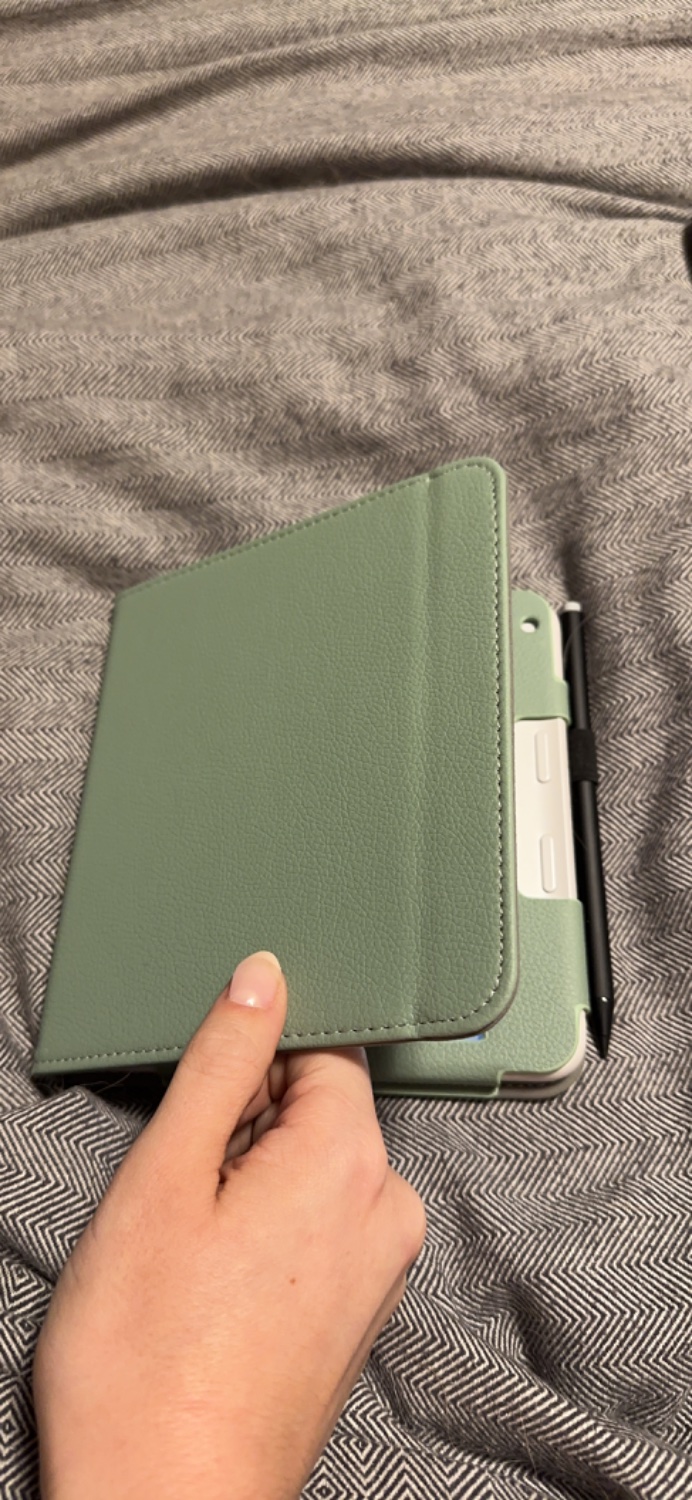
Just ordered this one from Amazon and it’s good!

It doesn’t have the standing ability so if you’re looking for that wait longer. I’m just looking for something to protect it when I throw it in my purse.

It’s got a pen holder and magnetic wake/sleep.
20


I haven’t been able to tell from any of the reviews yet but does the stylus only work with Kobo Books? Or can you write on any book?

21


I’ve already preordered. I was ready for a new reader and color seems cool.

I’m a bit bummed about how dark it looks but, it looks pretty good otherwise. I mostly read at night anyways.

22
23


Coming over from the Kindle Paperwhite. Said screw Amazon recently. Canceled prime, Kindle Unlimited.

If anyone has any tips or advice, feel free to share. But just wanted to say it feels good getting out of the Amazon ecosphere.

24


cross-posted from: https://lemmy.ca/post/1028403

Guess my previous post was a bit premature.

25


I think the title says it all.

I saw a mention of an Omnivore integration I might check out, but it depends on Pocket still at least existing in the OS, and I would prefer to stay up to date. That and I am already proxying the Store through Calibre-web.

view more: next ›