1
GIMP
591 readers
1 users here now
All about the GNU Image Manipulation Program • Please tag your help-me posts with [Help]. • YouTube Channel spamming will not be tolerated. • Blogspam will not be tolerated.
founded 2 years ago
MODERATORS
2
3
4
6
I've pretty much completed my new clean dark theme for the GIMP 3 series, but I'd like some feedback on one thing before I release it.
Should I use a light or dark tone for the separators? If you compare the two images you'll see what I'm referring to.
I think the lighter separators are easier to see and the darker ones are less distracting.
Which do you think is better?
I know I have a bias towards making things low-contrast and 'smooth', sometimes overly so, and I'd appreciate some outside perspective.
Also posted to Mastodon if the images here are struggling to load on your Lemmy app, like they do sometimes on mine: https://mastodon.social/@jpicture/116255975518406081


7
8
9
10
11
12
13
14
15
16
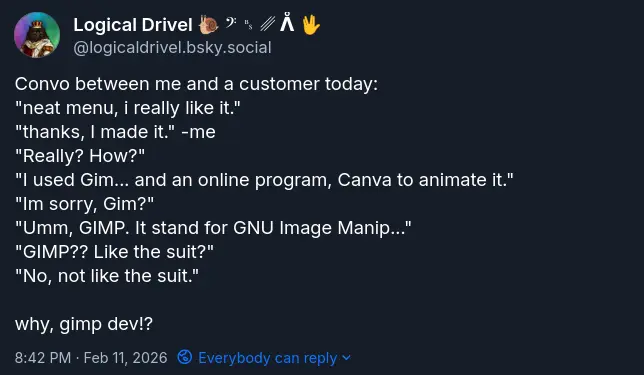
Honest to gods, this conversation happened today, and it may have cost me a job opportunity. The customer was super impressed with my menu design and animation, and wanted to know who we got it from. When I said I did it, their face lit up! Too bad as soon as i said GIMP, they weren't interested anymore. Has anyone else experienced this? What do you say in similar situations?
17
18
19
cross-posted from: https://lemmy.world/post/41518884
"Gimp is good but i miss the heal patch" ...not really.
Resynthesize is a heal selection plugin you can add to Gimp. With many software store manager like the one from Linux Mint all you have to do is simply to add the additional components in the software page
Otherwise you can download it from github and add it to your plugin folder following this guide
https://www.arkthinker.com/edit-image/remove-the-watermark-with-gimp/
https://github.com/bootchk/resynthesizer
once installed you can find it in Filters> Enhance > Heal section


More Gimp plugins
https://beebom.com/best-gimp-plugins/
https://www.makeuseof.com/tag/install-gimp-plugins/

20
today I learned that imagemagick can read gimp's project files, and treat each layer as a seprate image. This. Is. Huge. It means that now finally we can have something that is close to "Save all images".
for example magick template.xcf layer_%d.png would save each layer as layer_1.png, layer_2.png, etc

and here's a preview in my image viewer:

I discovered this by accident, as I was trying to montage images into a single image, I kept seeing some source images being included that weren't really exported in the image directory. Turns out it was the xcf file :)
21
22
23
cross-posted from: https://lemmy.world/post/40187083
A patch for optimizing GIMP 3.0+ for Adobe Photoshop users, including features like:
- Tool organization to mimic the position of Adobe Photoshop;
- New Splash Screen;
- New default settings to maximize space on the canvas;
- Shortcuts similar to the ones in Photoshop for Windows, following Adobe's Documentation;
- New icon and Name from custom .desktop file.
https://github.com/Diolinux/PhotoGIMP/blob/master/screenshots/photogimp_3_-_diolinux.png
Flatpak (Linux)
In order to install the newest version of PhotoGIMP on your Linux operating system using Flatpak, just follow this simple steps:
Make sure you already have GIMP installed from Flathub; (for Ubuntu/Mint user just select Flatpak below the install button in the manager)
Start and quit GIMP after you installed before you continue!
Download the files from this repository or just click here - > https://github.com/Diolinux/PhotoGIMP/releases/download/3.0/PhotoGIMP-linux.zip
Extract the content of the zip file on your home folder (.config and .local - they are the important ones) and overwrite the files if needed; (if you can't see the file click Ctrl+H to see hidden files)
-You're done, enjoy it! 😄


Heal tool selection plugin




25
Years back, I would make memes using a particular handwritten-looking font.
Example image with the font in question

While I do not have the font installed on my computer anymore, I do still have my GIMP project files. But when I open the file, I cannot tell what that font is. If I try to edit the text, its font changes to the default font. Is there a way that I can perhaps extract the font data from the *.xcf file or something? Really, all I need here is simply the name of this font.
I have tried using What the Font to identify it, but nothing looks exact. I had almost certainly originally downloaded the font file from DaFont, on either the Handwritten or Cartoon category, but I am not seeing a match on the first fifteen pages.
view more: next ›