VS Code

1128 readers
1 users here now

founded 2 years ago
MODERATORS
101
 
 
  • Accessibility improvements - Screen reader support for the pull request comments.
  • Better Command Palette search - New "similar commands" list to help command discovery.
  • Add custom icons to profiles - Display an icon to easily identify the active profile.
  • Compact editor tab height - Shrinks editor tab height for larger editor region.
  • Dedicated pinned editor row - New editor tab row supports pin/unpin via drag and drop.
  • Go to Symbol in notebooks - Quickly navigate to code symbols in your notebook.
  • Python debugger updates - Configure whether to step into system/library or just your code.
  • Preview: GitHub Copilot - Test generation based on current framework and project conventions.
102


I was just thinking that sometimes I avoid breaking functions in a file into multiple modules because I don't want to deal with the hassle of switching files. One way to remove that hassle would be to have a way to view all the files in a folder in a single tab with each file appended to the list, so I could scroll through or search all of them in the same tab.

Does VS Code already have an extension like this? If not, is the VS Code extension system flexible enough to implement this feature?

103


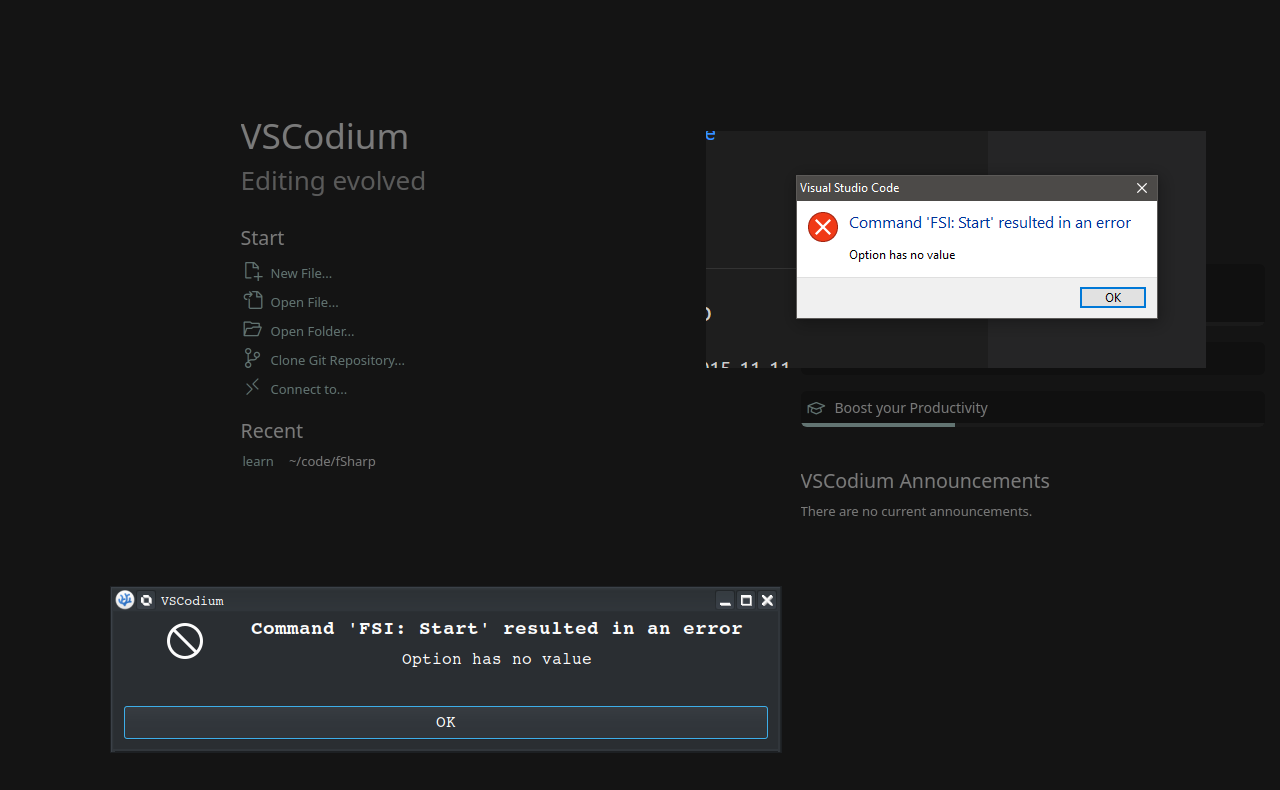
Hi everyone, I'm trying to try out F# via FSI in VS Code (Windows 10)

I have Ionide for F# installed, and have used it before, but now every time I try to start it I get a message "FSI :Start resulted in an error", it goes on to helpfully report "the option has no value".

dotnet is in path, dotnet works great. FSI? nothing.

I also have the .net workload installed for visual studio 2022 (if that matters).

I started up my Linux VM (KDE Neon) fired up vs codium and tried FSI Start...same error! So no tinkering in f# for me tonight. Does anyone have an idea what's happening, across two environments? Google is no help...
104
 
 
  • Accessibility improvements - Accessible View support for inline completions, updated keybindings.
  • Built-in port forwarding - Forward local server ports from within VS Code.
  • Sticky Scroll updates - Scrolls horizontally with editor, display last line in scope, folding UI.
  • New diff editor features - Detect moved code, dynamically switch inline and side-by-side view.
  • Command Center displayed by default - Quickly open files or run commands from the title bar.
  • Copy Notebook output - Easily copy cell output as well as generated images.
  • WebAssembly debugging - Decompile WASM code to step through and set breakpoints.
  • New TypeScript refactorings - Move to File and Inline Variables refactorings.
  • New Python Formatting topic - Learn how to integrate formatters such as autopep8 and Black.
  • Preview: GitHub Copilot - CreateWorkspace command previews file structure of proposed code.
105


Early last year, I forked a project that had gone idle. I did a couple of updates to make it work with the new version of VSCode, and released it on both marketplaces. It has a few downloads, and no one has yelled at me yet, so I'm not the only one that uses it I guess.

I want to update it with some newer packages out there, updated security versions, and other bits such as the move from vscode-test to @vscode/test-electron, but I'm hitting a block (in not knowing JS/TS very well, most of my 30 years has been with C#, Perl, PHP, SQL, etc.), and I was wondering if anyone had an article or suggestion on documentation how to make that move.

Or am I just starting over with "how to set up test-electron from scratch" and redoing all the tests? :) (that was not my hope for a quick update turn around, but if that is what has to happen...)

edit: a phrase